I accidentally deleted a batch of RAW photo files from my camera card before backing them up, and now I’m trying to figure out the best way to recover them. I need help finding reliable photo recovery software for RAW files that actually works without damaging the card or lowering image quality.
I’ve had to pull deleted photos and video off cards more times than I want to count. A bad tap in camera. A flaky SD card. Me being tired after a long shoot and doing something dumb. After all of it, one thing stuck with me. What you do in the first minute matters more than which recovery app you pick later.
If you lost files, stop using the card or drive right now. Don’t shoot more frames. Don’t paste new files onto it. Don’t reformat it again. In a lot of cases, the deleted data is still sitting there until new data lands on top of it. Keep writing to the card, and your odds drop fast.
Once the card is out of use, these are the tools I’d look at.
1. Disk Drill
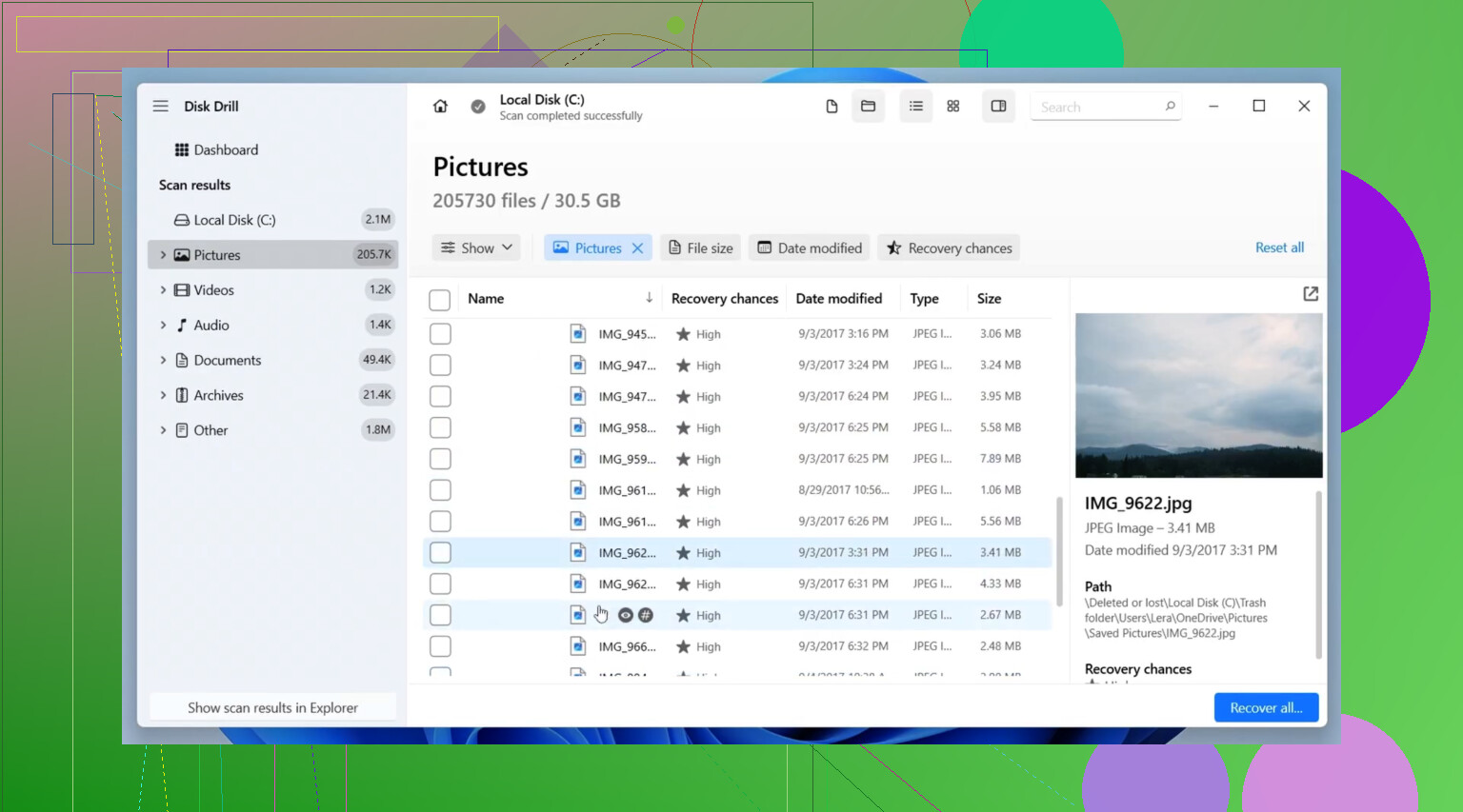
This is usually where I start. Not because it’s magic, but because it tends to hit a decent middle ground. It’s easy enough for normal people, and it works with the stuff most of us have lying around, SD cards, USB sticks, external drives, SSDs.
The part I kept coming back to was its camera-focused recovery. If you’ve ever tried to rescue footage from a drone, an action cam, or a mirrorless body, you’ve seen how some tools bring back clips that look fine at first, then refuse to play. Disk Drill does a better job than most with split or fragmented video, and it handles a lot of RAW photo types too.
What I liked:
- Simple interface, easy to move through
- Reads most common photo and video formats
- Advanced Camera Recovery helps with broken-up video files
- Preview before restoring files
- Runs on Windows and Mac
What got on my nerves:
- You need the paid version for full recovery
- Deep scans drag on, esp on bigger cards
2. R-Studio
This one feels like it was built for people who already know their way around storage problems. I’ve used it when a card looked rough, damaged file system, weird partition issue, stuff simpler apps didn’t handle well. It pulled data off cards I had mostly written off.
Still, I wouldn’t hand it to somebody who wants a big green “recover” button and nothing else. The layout is dense. There’s a lot going on. If you’ve never touched pro recovery software before, it feels like too much at first.
What it does well:
- Strong recovery results
- Good with damaged file systems
- Detailed scan and restore controls
- Works with a wide range of storage setups
Where it falls short:
- Takes time to learn
- The interface is pretty technical
- Price is higher than a lot of alternatives
3. PhotoRec
If you want free, this is the one I keep seeing come through. It’s open-source, and it doesn’t cap how much data you recover. I used it on a formatted card once when I had no plan B, and it pulled back more than I expected.
It works by looking for file signatures straight from the device instead of leaning on the file system. That’s why it still finds files on damaged or reformatted media. The annoying part is cleanup after the scan. Filenames are often gone. Folder structure is gone too. You get the files, then you sort the mess yourself.
Why people stick with it:
- Free, no recovery limit
- Supports a huge range of file types
- Works well on damaged or formatted cards
- Available for Windows, macOS, and Linux
Why some people quit halfway:
- Command-line interface
- Original filenames usually don’t survive
- Folders are not restored
- Sorting results takes forever on big recoveries
Other names worth checking
Recuva has been around for ages, and yeah, people still bring it up for a reason. If your card is healthy and you only deleted files by mistake, it’s often enough. The interface is easy, and the free version covers basic jobs. I wouldn’t lean on it for a trashed card or a messy recovery case.
DiskDigger comes up a lot in photo recovery threads, esp when Android gets mentioned. It’s lighter than a lot of desktop recovery suites, and the workflow is pretty direct. For simple deleted image recovery, it makes sense. For large SD cards full of RAW stills or damaged video clips, I don’t see people trust it as much.
Recovery software is only half the story. After you get your files back, or some of them back, it’s worth fixing the part of your process that let this happen. Better backups. Fewer in-camera deletes. Don’t keep using cards that already acted weird once.
I wouldn’t expect miracles from any app. But if you stop writing to the card early and use the right tool for the kind of damage you’re dealing with, your chances are a lot better than people think.
1 Like
Yes, RAW photo recovery software works, if the files were deleted and not overwritten.
For RAW files, your best shot depends on what happened to the card.
-
If you only deleted files by mistake:
Use something simple first. Disk Drill is a solid pick for RAW photo recovery on SD cards. It recognizes common RAW formats like CR2, CR3, NEF, ARW, DNG, ORF, and RAF. The preview helps sort out what is intact before recovery. -
If the card was formatted:
I’d lean a bit away from @mikeappsreviewer on one point. I would not start with the most advanced app unless the card is damaged. For a clean accidental format, tools with strong signature-based scanning often do better for photos than people expect. PhotoRec is ugly, yeah, but it recovers RAW files well if you do not care about original filenames. -
If the card has file system errors:
Use a tool built for damaged media. R-Studio fits here. It’s not fun to learn, but it handles messy cards better than lightweight apps.
What you should do now:
Stop using the card.
Put it in a card reader.
Recover to your computer, not back to the card.
Run a scan with Disk Drill first.
If it misses files, try PhotoRec as a second pass.
One more useful thread for comparing options:
best SD card recovery software for deleted RAW photos and camera files
If the card has not been reused, your odds are prety decent. If you shot more photos after deletion, recovery drops fast.
Yes, RAW recovery software absolutely can work, but RAW files are a little less forgiving than JPEGs if anything got overwritten.
Small disagreement with @mikeappsreviewer and @viajantedoceu on one thing: I would not keep bouncing the same card through a bunch of recovery apps unless you first make an image of the card. Every full scan stresses flaky media and can make things worse if the card is already acting weird. If possible, clone/image the card first, then recover from the image.
For actual RAW support, check whether the app recognizes your camera format: CR2, CR3, NEF, ARW, RAF, ORF, DNG, etc. That matters more than flashy marketing. Disk Drill is a reasonable pick because it handles a lot of RAW formats and is easy to sort through, esp if you want previews and less headache. If the card is physically fine and the files were just deleted, that’s probly the easiest starting point.
One more useful read if you want broader community opinions: real community feedback on Disk Drill for photo and RAW file recovery
If filenames matter a lot, some tools recover data but not the original structure, which is super annoying. So yeah, the software works. The real question is whether the card was reused after deletion. If not, your chances are still pretty decent.

Yes, RAW recovery software can work, but I’d add one nuance to what @viajantedoceu, @caminantenocturno, and @mikeappsreviewer said: success is not just about deletion vs format. It also depends on whether your camera wrote RAWs contiguously or in fragments, which can affect partial recovery.
If the card is stable, I’d still start with Disk Drill because it’s easier to inspect results before restoring a huge batch.
Disk Drill pros
- Supports common RAW types like CR2, CR3, NEF, ARW, DNG, RAF
- Preview is useful for checking intact files
- Cleaner interface than most recovery tools
- Good for simple accidental deletion cases
Disk Drill cons
- Best features are paid
- Deep scans can take a while
- On heavily damaged cards, it is not my first choice
One thing I disagree with slightly: don’t focus only on “can it find the file.” For RAW shooters, metadata matters too. Some recovery tools bring back the image data but lose original names, folder structure, or date info, which is brutal if you’re sorting a whole shoot later.
So my take:
- Healthy card, accidental delete: Disk Drill
- Need free and don’t care about filenames: PhotoRec
- Corrupted card or filesystem weirdness: R-Studio
Also, recover a few sample RAWs first and open them in Lightroom, Capture One, or your camera maker’s software before restoring everything. A file that previews is not always a file that edits cleanly.