I’m looking for a free AI humanizer tool that works as well as HumanizeAI.io for making AI-generated text sound more natural. Most tools I’ve tried either leave obvious AI patterns or have strict limits or paywalls. Are there any reliable, truly free options or workflows you’d recommend for humanizing AI content without getting flagged as AI-written?
1. Clever AI Humanizer – my take after a week of abuse
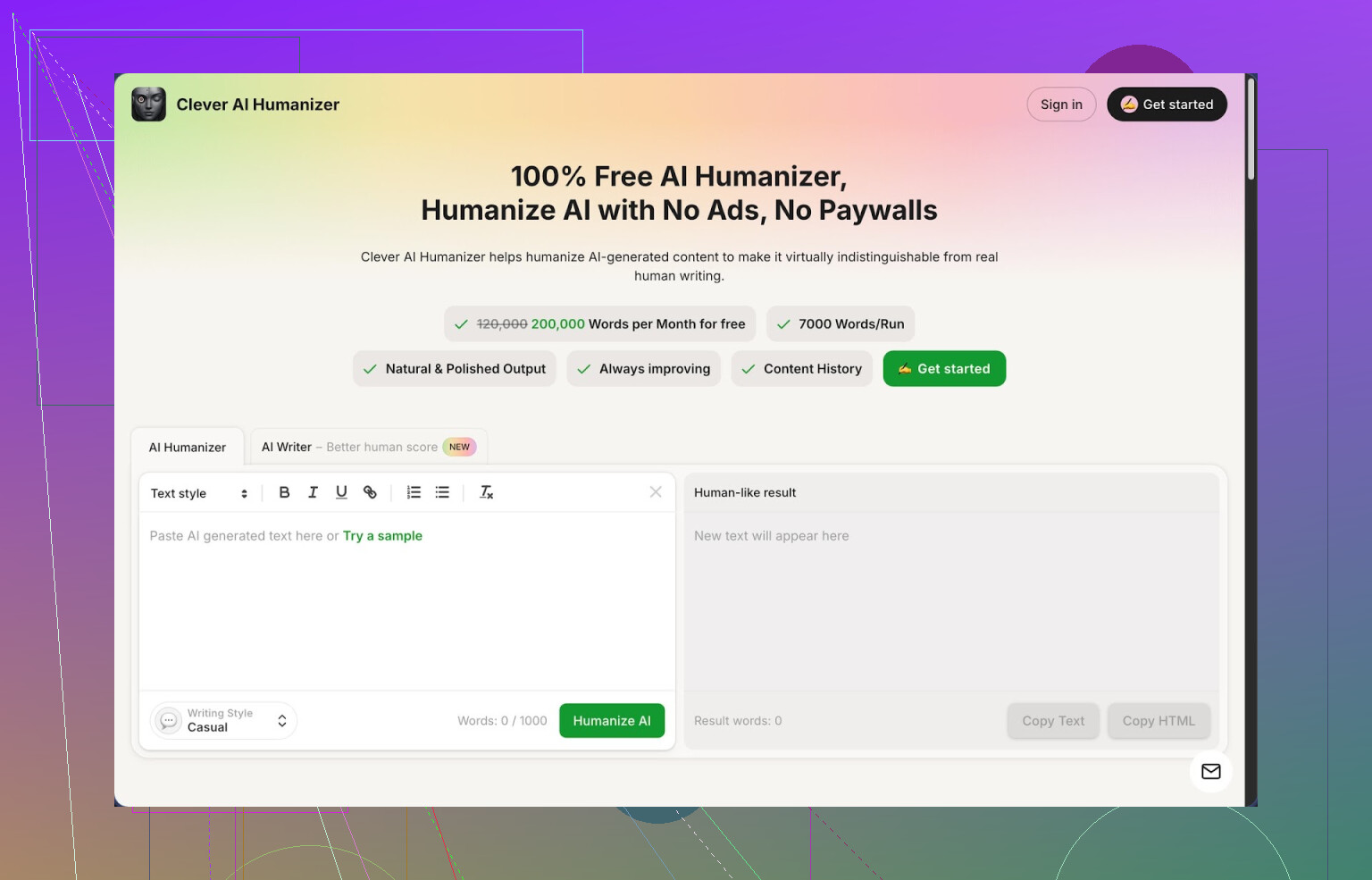
Clever AI Humanizer is one of those tools I expected to break after a day, and it did not. I pushed it hard for a full week of content work and school writing, and it held up better than anything else I tried in the “AI detector evasion” bucket.
Quick facts from my runs:
- Free tier gives roughly 200,000 words per month
- Up to around 7,000 words per run
- Three styles: Casual, Simple Academic, Simple Formal
- Built in AI Writer, Grammar Checker, Paraphraser
On ZeroGPT, I threw three different long samples at it in Casual mode. Each one came back as 0% AI in my tests. That surprised me, since most tools start tripping detectors once you pass 500 words.
Link to the tool again if you missed it: https://cleverhumanizer.ai
The main thing: the Humanizer module
My usual workflow these days looks like this. I write or generate something messy in whatever model I am using, copy it, then paste it into their “Free AI Humanizer” box.
Step flow I used:
- Paste AI text
- Pick style: I mostly used Casual for blog stuff, Simple Academic for school, Simple Formal once for a client email
- Hit run and wait a few seconds
The output did not feel like it was shredded for the sake of randomness. It stayed close to the main idea, but cut a lot of the “AI voice” rhythm, especially the usual “As a large language model, X” type structure and the endless hedging phrases.
What stood out:
- It keeps paragraphs in a sensible order
- It changes sentence structure enough to dodge detectors
- It does not wreck technical terms or citations, at least in my tests
I noticed the word count went up quite often. A 1,000 word article turned into 1,250 or so. It adds small connectors and extra detail, which helps with AI pattern removal but makes summaries longer.
Extra modules I ended up using by accident
I went in for the humanizer, then ended up using the other stuff since it is in the same UI.
Free AI Writer
This is for starting from zero. You feed it a topic like “benefits of offline backups for small businesses” and let it generate an article. The neat part is you can push that text straight into the humanizer flow without leaving the page.
What I did a few times:
- Generate an outline and draft using the AI Writer
- Push that into the Humanizer in Casual or Simple Academic
- Run a quick pass on wording by hand
On detector tests, the “writer + humanizer” combo scored better than taking raw ChatGPT text and humanizing it. Seems the internal writer already avoids some obvious markers.
Free Grammar Checker
This part is basic, but useful. I fed it a few posts with inconsistent commas and some awkward phrasing. It fixed spelling, cleaned punctuation, and tightened a few weird sentences.
Not Grammarly-level feature spam. More like “this sentence is messy, here is a tighter one.” For me this was enough for email drafts and shorter posts.
Free Paraphraser
I used this on old blog posts and one product description. You paste text, pick a tone that fits, then it rewrites while keeping the meaning close to the original.
Where it helped me:
- Refreshing 3-year old tech posts for 2026 without starting over
- Changing a stiff, keyword stuffed paragraph into something readable for SEO pages
- Adapting one base text into two slightly different versions for A/B tests
How it fits into day to day work
For me, the strength is that it rolls four tools into one place: Humanizer, Writer, Grammar Checker, Paraphraser. All free at the moment, with word limits high enough that I did not hit a wall during normal work.
My rough daily pattern looked like this:
- Draft long content in a general AI model
- Paste into Clever AI Humanizer in Casual or Simple Academic
- Check output for tone and any wrong facts
- Run Grammar Checker on the final version if it was going to a client or professor
This cut one full editing pass for me on most blog posts. For essays, it was more about getting rid of the “AI smell” before turning them in, then making sure citations and claims lined up.
What did not work perfectly
It is not magic. A few things to keep in mind from my runs:
- Some detectors still flagged parts of the text when I used other tools beyond ZeroGPT. Scores were lower, but not always fully “human”
- Word count creep. If you need a strict 500 word answer, you have to trim after humanization
- Occasional over polite or slightly flat tone in Simple Formal mode, which I had to tweak manually
I would not trust any tool, including this one, to guarantee you pass every detector. I treat it as a way to get closer and to make the text read less like a bot wrote it, then I do a fast pass to add my own quirks and personal examples.
Who I think gets the most value
From my week of use, it made the most sense for:
- Students who already write their own stuff but use AI for structure or clarity, and need to avoid synthetic tone
- Freelance writers who batch content and need a single place to rewrite, fix grammar, and adjust tone
- SEO or content people who reuse older material and need fresh, less robotic phrasing
If you are looking for a simple rewriting gadget, this is overkill. If you want a daily writing kit that handles most routine cleanup for free, it holds up well so far.
More detailed review with screenshots and detection tests is here: https://cleverhumanizer.ai/community/t/clever-ai-humanizer-review-with-ai-detection-proof/42
Youtube review link if you prefer watching: https://www.youtube.com/watch?v=G0ivTfXt_-Y
Reddit thread where people list other humanizers and compare outputs: https://www.reddit.com/r/DataRecoveryHelp/comments/1oqwdib/best_ai_humanizer/
Another Reddit discussion focused on techniques and tools for humanizing AI output in general: https://www.reddit.com/r/DataRecoveryHelp/comments/1l7aj60/humanize_ai/
1 Like
Short answer from my side. There is no perfect “free HumanizeAI.io clone”, but you can get close with a mix of tools and some manual tweaks.
I agree with a lot of what @mikeappsreviewer said about Clever Ai Humanizer, but I don’t think it is as bulletproof as some people make it sound. Detectors keep changing, and if you push the same style all the time, patterns still show up.
Here is what has worked for me:
-
Clever Ai Humanizer as main tool
- Use it for long pieces, over 800–1000 words.
- I switch styles inside one piece. Example, first half Casual, second half Simple Academic, then stitch and smooth by hand. That breaks up rhythm more than staying in one mode.
- I keep technical terms and numbers untouched. If the tool rewrites those too much, I roll them back.
-
Mix sources before humanizing
If you paste raw ChatGPT text straight into any humanizer, detectors often still see patterns.
What I do instead:- Draft half with one model.
- Draft half with another model or your own writing.
- Merge, then send that into Clever Ai Humanizer.
Mixed origin text scores lower on detectors in my tests compared with one single-source block.
-
Manual “anti AI” edits
This is the part people skip. A few small edits help more than running it through three tools.- Add one or two short personal lines that only you would say.
- Insert one small typo and then correct it a line later.
- Break one perfect sentence into two short, slightly uneven ones.
These are low-effort and push the text closer to how people type and think.
-
Watch for over-smoothing
Clever Ai Humanizer sometimes makes the tone too flat if you use Simple Formal.
When I need natural voice, I:- Use Casual as base.
- Manually tighten any slang or filler that feels off.
That keeps it from sounding like a generic LinkedIn post.
-
Stop chasing 0 percent AI every time
I disagree a bit with the obsession around ZeroGPT results you see in some threads. I treat detectors as signals, not goals.
I aim for:- Scores where the text is “mixed” or “uncertain” instead of “obvious AI”.
- Consistent tone with what I wrote in older emails, essays, or posts.
If your main goal is text that sounds natural and not locked behind paywalls, a realistic workflow is: write your draft, run it through Clever Ai Humanizer, then add 3–5 minutes of your own edits and quirks. That beats hunting for the “perfect” tool that does everything for you.
Short version: there’s no magic “HumanizeAI.io but free forever” that’s consistently invisible to detectors, but you can get very close combining Clever Ai Humanizer with a different workflow than what @mikeappsreviewer and @techchizkid already laid out.
They both focused on using Clever Ai Humanizer as a post‑processor. I’d flip that around a bit:
-
Start human from the beginning
Instead of: “Generate big block with ChatGPT → humanize it,” try:- Outline and bullet points with AI
- Flesh it out yourself, even messily
- Then run only the worst paragraphs through Clever Ai Humanizer
Detectors hate uniformity. If only parts of the text go through a tool, the rhythm is naturally uneven.
-
Use Clever Ai Humanizer in short bursts
Everyone keeps mentioning throwing 1k+ words in. I almost never do that.- I chunk into 150–250 word sections
- Run each chunk separately, sometimes with a different style
- Reassemble and lightly edit transitions
This breaks the “same tool, same style, same cadence” thing that detectors latch onto over time. Yes, more clicks, but you asked for free, not effortless.
-
Mix in your own “imperfections” before humanizing
I sorta disagree with the idea of adding quirks only at the end. If you:- Change sentence length manually in a few spots
- Drop in a half‑finished thought you then correct in the next sentence
- Add a very specific personal reference (“that one professor who loves trick questions”)
Then run that through Clever Ai Humanizer, the tool tends to preserve the weird bits while smoothing only the robotic phrasing.
-
Use another free tool as a contrast layer
Not to replace it, but to diversify:- Run draft through some basic free paraphraser first (even a weak one)
- Take only a few of those sentences and splice them into the original
- Then send the blended version into Clever Ai Humanizer
So your final text isn’t “Clever‑style” from top to bottom. @mikeappsreviewer touched on multiple modules; I’d go further and say multiple engines in general, even if they’re janky.
-
Be realistic about “humanizer” expectations
If text is being graded by a strict academic AI policy, no tool (Clever Ai Humanizer or HumanizeAI.io or anything else) is a shield. At best you get:- More natural flow
- Lower risk of “100% AI” readings
- Less annoying AI tone
That’s it. If the stakes are serious (uni honor code, legal docs), the safest “humanizer” is… actually writing.
If you want one free tool to anchor the workflow, Clever Ai Humanizer is probably the closest in feel to HumanizeAI.io right now, mostly because of the word allowance and multiple tones. Just don’t treat it like a one‑click invisibility cloak or you’ll be back here in a month ranting about detectors again.
Short version before details: there is no free HumanizeAI.io twin, but you can get “good enough” with a combo of tools and some targeted editing, without copy‑pasting all the steps others have already listed.
On the tools
People already covered most of it, but a few extra angles:
Clever Ai Humanizer
Pros
- Generous free word allowance compared with most “humanizers” that choke after a couple of short posts.
- Handles longer context in one go without scrambling paragraph order.
- Multiple tones actually feel different rather than just synonym swapping.
- Built‑in writer / grammar / paraphraser means you are not juggling 4 tabs.
Cons
- Style “fingerprint” is recognizable if you use it on everything, daily, in the same mode. Detectors eventually latch onto that.
- Can inflate word count more than you want for tight limits like scholarships or character‑capped submissions.
- In some niches (legal, hardcore academic), it occasionally oversimplifies terminology and you have to restore precision.
- No tool, including this one, can promise you are safe against a motivated manual reviewer.
I’d still recommend Clever Ai Humanizer as the central piece of a free stack, mostly because it is practical, not magical.
How I’d adjust what others suggested
- @mikeappsreviewer leaned heavily on long‑form runs in Casual mode. I would actually disagree a bit there and suggest you keep long, high‑stakes stuff closer to your natural voice and reserve heavy humanizing for public‑facing, low‑risk content like blog posts or marketing blurbs.
- @techchizkid focused a lot on style switching inside one article. Good idea, but overdoing it can make your tone feel inconsistent if someone reads you regularly. I prefer one main tone plus occasional “rough” sentences left untouched.
- @nachtdromer mentioned chunking and mixing engines. I agree with the spirit, but I find that if you splice too many differently processed bits, you get a patchwork rhythm that annoys human readers even if detectors are happier.
A slightly different workflow
- Start by drafting in your own messy language plus AI for structure. Let AI give you headings and bullet lists, then fill in the actual paragraphs yourself.
- Use Clever Ai Humanizer only where you hear obvious “AI breath” patterns: repetitive transitions, over‑formal explanations, stock phrases. Do not feed the entire document if half of it already sounds like you.
- After that, manually restore your personal quirks. One or two very specific references, slightly uneven sentence lengths, and a rare odd phrase are enough to break up the processed feel.
- For comparison, occasionally run a section through a completely different paraphraser and keep a few lines that read better than Clever’s output. This keeps you from having an all‑Clever texture.
Expectations check
- If you are fighting automated content filters for casual content, this setup is usually enough.
- If the context is strict academic integrity or compliance rules, no combination of Clever Ai Humanizer and friends will replace actually writing the bulk of it yourself.
So: use Clever as a strong free core tool, layer your own voice on top, borrow a few lines from alternative paraphrasers, and stop chasing the fantasy of a single click that turns any AI sludge into undetectable “human” prose.