I’ve been experimenting with GPTHuman AI for content review and I’m not sure if I’ve configured everything correctly or if I’m using its features the right way. Some of the responses feel off, and I want to understand what I might be doing wrong and how to optimize my prompts, settings, and workflow. I’d really appreciate guidance from anyone experienced with GPTHuman AI on best practices, common mistakes, and how to get more accurate, humanlike reviews.
GPTHuman AI review, from someone who tried to bend it till it broke
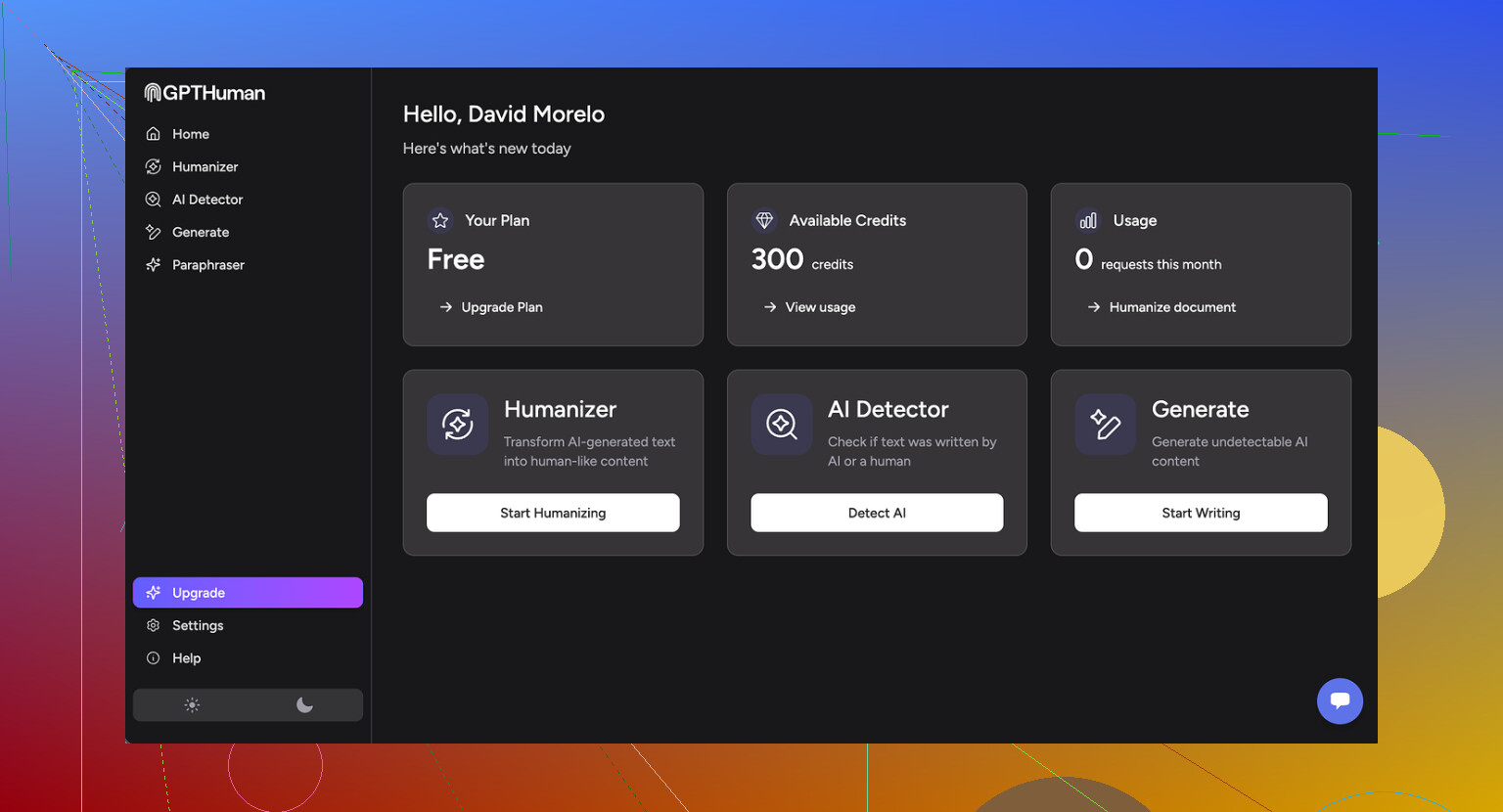
GPTHuman advertises itself as “the only AI humanizer that bypasses all premium AI detectors.” I went in half-expecting marketing fluff, but I still hoped it would at least handle the basics.
Short version: it did not match the claim, and it made the text worse in ways that matter if you care about clients, grades, or your own sanity.
How it did against detectors
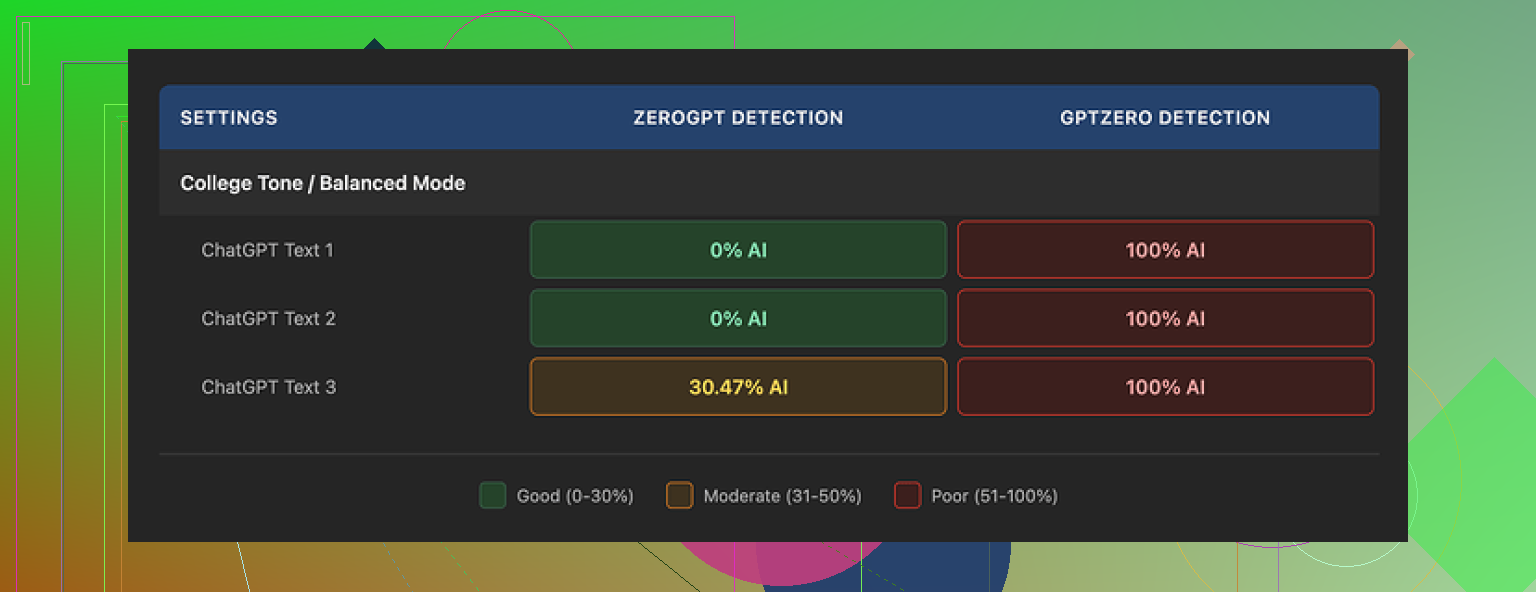
I ran three different samples of AI text through GPTHuman, then tested the outputs with some common detectors.
Here is what happened:
• GPTZero
Every single one of the “humanized” outputs got flagged as 100 percent AI. No borderline scores, no “mixed” result. All three, straight red.
• ZeroGPT
Two outputs slipped through at 0 percent AI. The third one came back around 30 percent AI. So you might get lucky sometimes, but it does not look consistent.
The weird part is the internal “human score” in GPTHuman. The tool showed high passing rates, like the text is safe. Those numbers did not match at all with what GPTZero and ZeroGPT reported.
So, if you are relying on the built-in meter to decide if your text is safe to submit, that is risk on you, not a safety net.
Quality of the “humanized” text
I expected at least solid English. I got something I would not hand to a teacher or a client.
Stuff I kept seeing:
• Subject verb disagreement
Things like “the results shows” or “people has reported,” sprinkled through longer paragraphs. It looks off on first read.
• Incomplete sentences
Sentences that stop right when you expect a point, with no follow up. Sort of like someone deleted the rest of the line and hit send anyway.
• Broken word swaps
It tries to change words but picks wrong synonyms, so the sentence turns stiff or loses the original meaning. In a few lines, the tone turned oddly robotic even though the goal was to feel human.
• Confusing endings
Several paragraphs ended in phrases that read like half ideas. I had to reread to understand, then gave up and compared with the original text to guess what it meant.
The structure itself looked okay. Paragraphs were clean, spacing fine. If you skim, it looks normal. The moment you read slowly, the errors and strange phrasing start piling up.
For any serious use, you would need manual editing on top. At that point, the “one click humanizer” pitch falls apart, because you are spending time cleaning up mistakes created by the tool.
Limits, pricing, and some policy surprises
The free tier felt tight.
• Free tier limit
Total of 300 words processed, not per run, but total usage. After that, it locks you out. I hit the ceiling so fast that I ended up creating three separate Gmail accounts to finish my usual test set. That should tell you how cramped it is.
• Paid plans
Starter plan starts at $8.25 per month on an annual subscription.
Unlimited plan is $26 per month.
“Unlimited” is not really unlimited in output size. Each run is capped at 2,000 words. If you work with long-form content, you will be chopping and pasting in chunks.
Policy bits you want to know before paying:
• No refunds
All purchases are non refundable, so if you test it for real after buying and it does not fit your needs, you are stuck.
• Data usage
Your submitted content is used for AI training by default. There is an opt-out, but you need to go in and change that. If you handle client data, internal docs, or anything sensitive, this is important.
• Marketing use of your brand
They reserve the right to use your company name in their promotional material. You have to explicitly ask them not to. If you work in a corporate context, that might get you in trouble.
What worked better for me
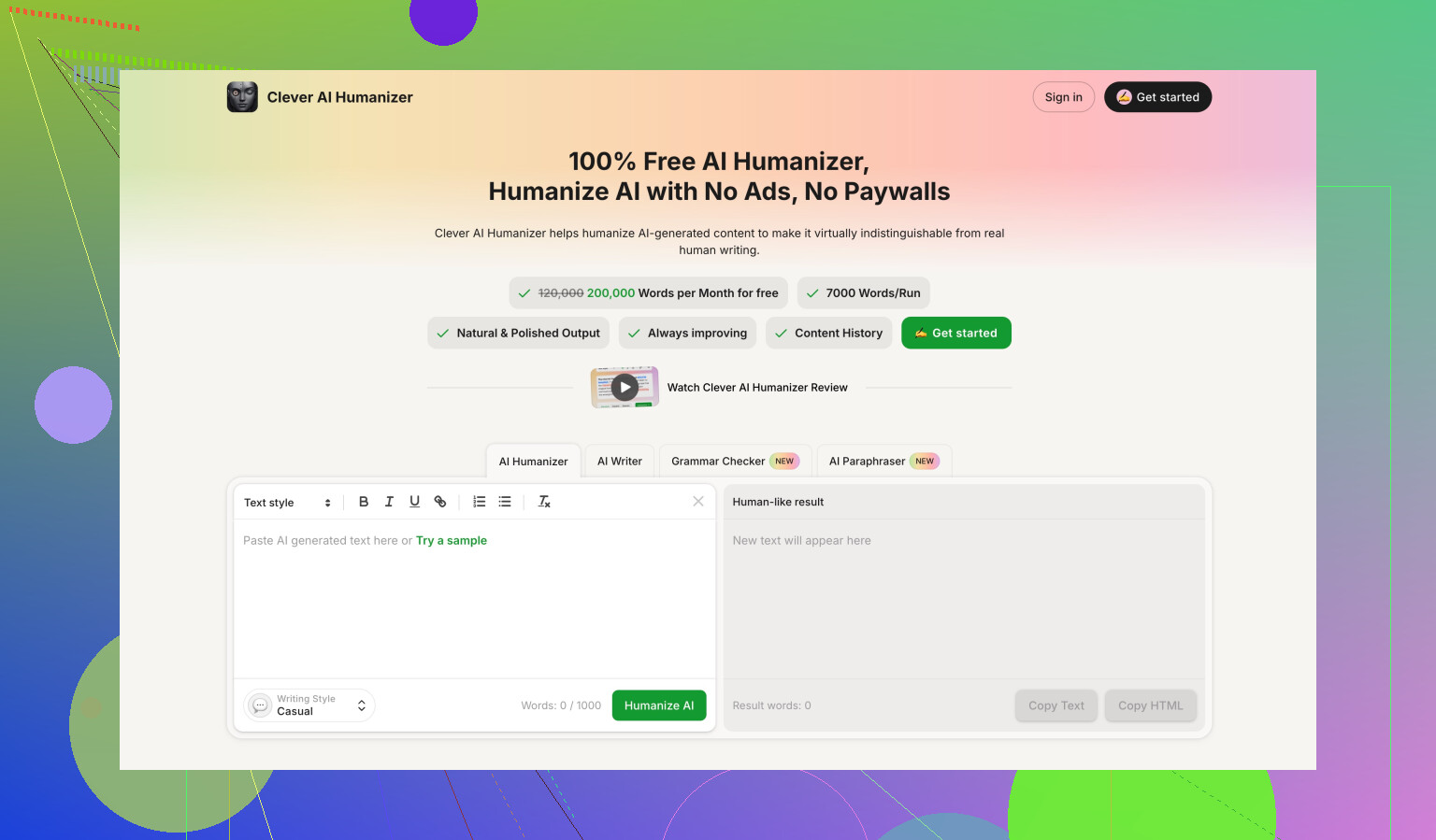
When I benchmarked other tools side by side, Clever AI Humanizer came out on top for what I cared about.
I used this comparison thread as a reference:
On my tests:
• Scores
Clever AI Humanizer produced outputs with stronger detection scores compared to GPTHuman on the same sample texts.
• Cost
It was fully free at the time I tested it. No word cap like the 300 word wall in GPTHuman’s free tier, which made it easier to run full experiments without juggling extra email accounts.
I am not saying any of these tools are bulletproof, because detectors change all the time. I am saying that, under the same conditions and same input, GPTHuman was weaker in both reliability and text quality.
Who GPTHuman fits, based on what I saw
If you:
• want a fast tool and do not mind editing heavily
• are okay with data being used for training if you forget to opt out
• do not rely on GPTZero-level detectors
then you might still squeeze some use out of it.
If you:
• need consistent passing rates on strong detectors
• write for school, clients, or public sites
• care about clean grammar without spending time fixing errors
• refuse to give up brand control or data without clear reason
then I would skip GPTHuman and try alternatives first, like Clever AI Humanizer or any tool you can stress test without paying upfront.
For me, between the weak detector performance, odd language issues, hard 300 word free ceiling, and strict no refund policy, GPTHuman did not earn a recurring slot in my workflow.
1 Like
You are not doing anything “wrong”. GPTHuman behaves weird even when set up “right”.
Couple points that might explain why your outputs feel off, building on what @mikeappsreviewer said but from a different angle:
- Why the responses feel weird
GPTHuman seems to run heavy synonym and structure swaps to chase detector scores.
That often breaks:
• subject verb agreement
• pronoun references
• sentence endings
So you get text that looks ok when skimmed, but fails a slow read. That matches what you are seeing.
If your original text is already clear, GPTHuman tends to make it worse, not better.
-
The “Human Score” vs real detectors
Their internal meter often disagrees with GPTZero and others.
Reason is simple. Their score is tuned to their own internal model, not to the public detectors you care about.
So if you trust that bar and stop editing, you take the risk, not them. -
Config and usage tips if you still want to use it
A few things you can try to reduce the damage:
• Shorter chunks
Feed 300 to 500 words at a time, not long essays. Longer inputs seem to increase broken sentences.
• Start from human text
Use GPTHuman only on text you already edited yourself. Avoid sending raw AI output into it. Two layers of AI noise stack up and grammar goes off a cliff.
• Turn “humanization” down where possible
If it has multiple modes or strength sliders, pick the mildest option. Heavy rewrite modes create most grammar problems.
• Post edit with a grammar checker
After GPTHuman, run the output through a strict checker like Grammarly or LanguageTool. Fix:
- verb agreement
- sentence fragments
- weird synonym choices
You will need manual review anyway if this is for grades or clients.
- Where it makes some sense to use
From what I have seen, it only makes partial sense when:
• you work with low stakes content like throwaway blog comments or filler posts
• you accept that you must grammar check every single piece
• you do not rely on GPTZero or similar strict detectors
For anything like school, freelance work, or branded content, the risk is high. One bad paragraph with broken English will hurt more than a detector flag in many real situations.
- About alternatives
I do not fully agree with @mikeappsreviewer on everything. I think no “humanizer” is safe if you copy paste into serious submissions and stop thinking.
That said, if your main goal is to reduce AI detector hits while keeping readable English, “Clever Ai Humanizer” performed more stable in my own tests.
Key difference for me:
• fewer grammar errors on long text
• outputs that needed lighter edits
Still not magic, but less cleanup work per 1000 words.
- What I would do in your place
If you want practical steps:
• Stop trusting the GPTHuman internal human score.
• Use it only on short pieces, then edit heavily.
• For important work, start from your own draft, then use AI as a helper, not as a post humanizer.
• If detection is your main focus, test the same sample text in GPTHuman and Clever Ai Humanizer, then run both through GPTZero and whatever your teacher or platform uses. Compare, pick the one that wastes you less time.
If you share one anonymized sample (original vs GPTHuman output), people here can point out if the issues are tool related or your settings, but from your description it sounds like the tool behaving as it does, not misconfig.
You’re not doing anything “wrong.” What you’re seeing is pretty much how GPTHuman behaves out of the box.
Where I slightly disagree with @mikeappsreviewer and @andarilhonoturno is on why it feels so off. To me it looks less like “broken English by accident” and more like a very aggressive, cheap paraphraser trying to out-random the detectors. That kind of approach almost guarantees:
- jittery sentence rhythms
- weird synonym picks that kill nuance
- and a “patched together” feel even when grammar is technically ok
So even if you tweaked every setting perfectly, the core behavior would still feel unnatural for serious content.
Couple things I’d do differently than what’s already been suggested:
-
Use it as a diagnostic, not a fixer
Paste your text in, look at how hard it has to scramble things to change detector scores.
If the output looks mutilated, take that as a signal that you should rework your ideas and structure yourself instead of trusting GPTHuman to “humanize” it. Treat it like a stress test, not a one-click solution. -
Stop chasing “0% AI” as the main metric
Detectors are inconsistent and changing all the time. If you twist text hard enough to get green lights, you usually pay for it in clarity and credibility.
For school / clients, sounding like a confused robot with a “human score” bar at 95% is still a loss. -
Reverse your workflow
Instead of:
AI → GPTHuman → submitTry:
You write → light AI help for clarity → manual tweaks → optional quick pass through a humanizer only if you truly must.Every extra AI layer increases the chance of nonsense creeping in. GPTHuman is especially guilty of that.
-
Check for meaning drift, not just grammar
Everyone talks about verb agreement, but the more dangerous issue is subtle meaning changes.
Take one paragraph GPTHuman “fixed” for you and compare line by line with your original.
If key claims, tone, or hedging (like “might,” “likely,” “in some cases”) got stripped or flipped, that is not a config issue, it is a tool problem. -
When a humanizer actually helps
If you still want this kind of tool in the stack, use it only when:- the text is low stakes
- you’re willing to re-edit the result as if a mediocre intern wrote it
- you do your own final pass out loud to catch the “why does this sound off” moments
On the “what else to try” side, I’m with both of them that no humanizer is magic. That said, Clever Ai Humanizer has been more consistent for me in keeping sentences readable while still improving detector results. It is not perfect, but it usually needs fewer emergency edits per 1k words, which matters if you value your time.
Bottom line: your config is probably fine. The tool’s design is the actual issue. Use it sparingly, never trust the internal “human score” as a green light, and treat something like Clever Ai Humanizer as a gentler option rather than a miracle cure.