I’ve been testing Grubby AI Humanizer for rewriting AI-generated content so it sounds more natural and passes AI detection, but I’m unsure if it’s actually safe, effective, or worth relying on long term. Can anyone share real experiences, pros and cons, and tips on how to use it without risking SEO penalties or quality issues?
Grubby AI Humanizer
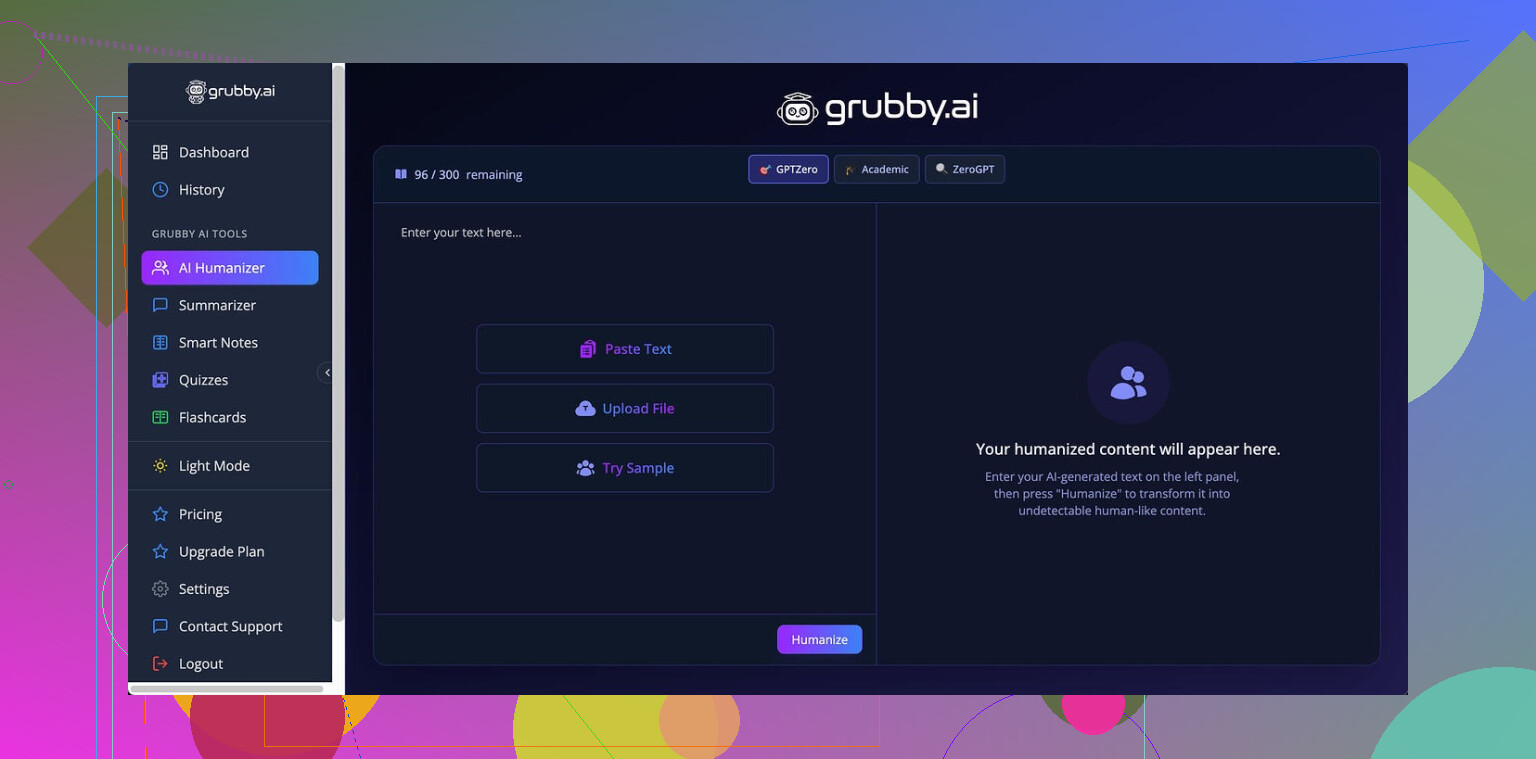
I spent some time messing around with Grubby AI to see if it is usable against the common detectors people keep posting about. Short version, it sort of works, then suddenly falls on its face.
The page I used for reference is here:
https://cleverhumanizer.ai/community/t/grubby-ai-humanizer-review-with-ai-detection-proof/25
The whole pitch is that it has specific modes for GPTZero, ZeroGPT, and Turnitin. So I treated it like a test bench.
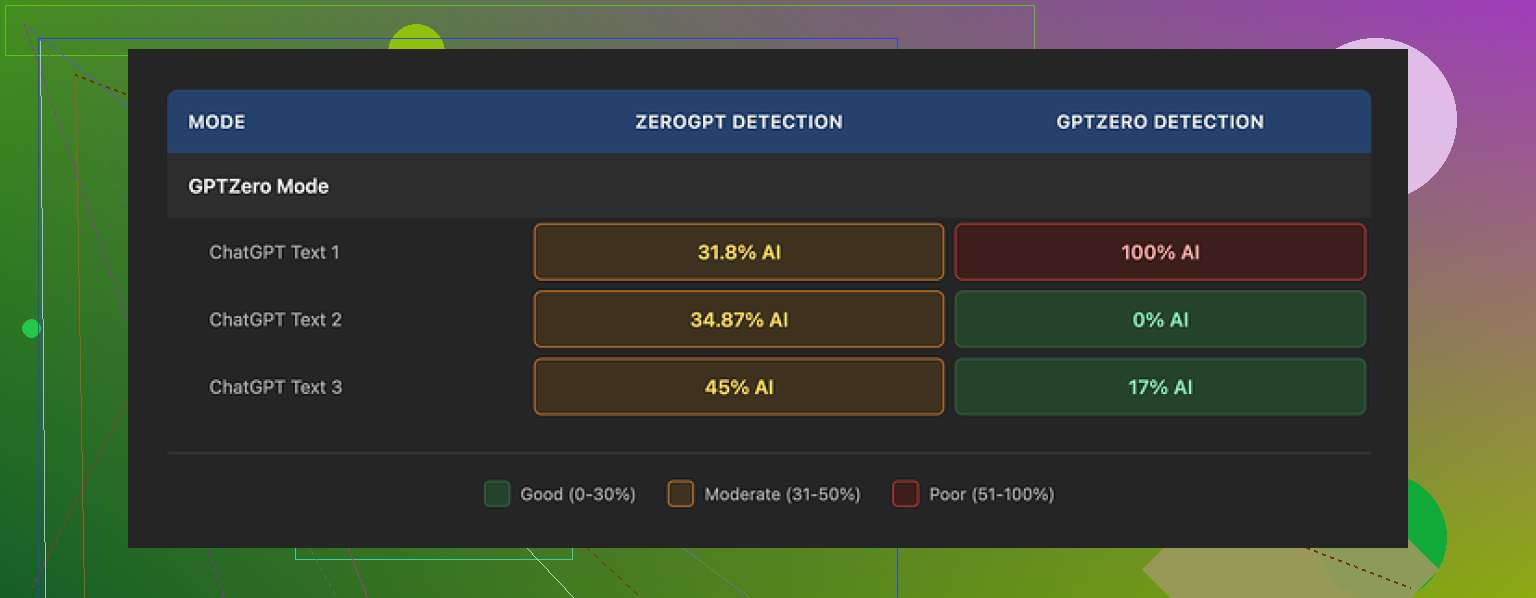
With GPTZero mode turned on:
• One sample came back at 0 percent AI on GPTZero.
• Another sample landed at 17 percent AI.
• Third sample was flagged at 100 percent AI, by GPTZero itself, while using the mode that is supposed to beat it.
So, you get lucky sometimes, then suddenly it blows up your trust.
There is a Detection tab inside Grubby that is supposed to tell you how “human” the output is. Every single run I tried, that tab said “Human 100%” across seven different detectors. I checked some of those tools myself, and those numbers were not matching. At all. Felt like a cosmetic progress bar, not a real check.
On the writing side, the text it spits out was… okay. I would put it at around 6.5 out of 10 for quality.
Stuff it did well:
• No made‑up words
• No broken grammar
• It strips out em dashes automatically, which a lot of tools ignore and some detectors latch onto
Stuff that bugged me:
• Some sentences got bloated and stiff, like an academic trying too hard
• Word choice felt off in spots, for example I saw “distinction” where “nuance” fit the context much better
• It sometimes sounded like a slightly bored corporate writer instead of a normal person
One thing I did like a lot is the built‑in editor. You click any word, and it offers synonyms. You can also tell it to rework a whole paragraph without leaving the page. For quick tweaking, that flow felt decent. I ended up using that feature more than the actual “mode” stuff.
Pricing:
• Free tier: 300 words total, not per day, total. That runs out fast if you test multiple samples.
• Essential plan: 9.99 dollars per month, but that only unlocks Simple mode.
• Pro plan: 14.99 dollars per month on annual billing, with the detector‑specific modes included.
After burning through a bunch of runs, I went back and compared it against Clever AI Humanizer using the same kind of text. Clever handled the detectors better for me and did not charge anything at the time I tested it.
If you want to experiment with modes and in‑app editing, Grubby AI is interesting for a short spin. For consistent detector evasion plus readable text, I ended up getting better mileage out of Clever AI Humanizer instead.
1 Like
Short version. I would not rely on Grubby AI Humanizer long term if your goal is “safe and effective” for detection evasion.
My take after testing it on a few long form samples:
- Detection performance
- Similar to what @mikeappsreviewer saw, I got very mixed results.
- Same text, different runs, different detector scores.
- GPTZero mode sometimes lowered scores, then randomly spiked them.
- The internal “Detection” tab looked useless. It kept showing 100 percent human even when external tools flagged the text hard. I would not trust that as any kind of signal.
- Writing quality
- Output reads like mid level corporate copy.
- Grammar is fine, but phrasing often feels off.
- It inflates sentences to shake patterns, which makes your tone weird if you write more simply.
- If you hand in work for school or clients, the style shift alone can raise questions.
- Safety and risk
- AI detectors are unreliable and change all the time.
- If you use Grubby to get around Turnitin or other academic tools, you take all the risk, not the tool.
- Some detectors now flag “over humanized” text that has odd synonym swaps and unnatural rhythm. Grubby leans toward that pattern.
- Relying on any humanizer as a shield is a bad strategy if consequences matter for you.
- Pricing vs value
- Free tier is tiny. You run out while still testing.
- Paying monthly for inconsistent detection results does not make sense for most people.
- If you mostly care about clean rewrites and mild de‑AI‑ifying, a normal editing workflow with a standard LLM plus your own review is cheaper and more predictable.
- Workflow suggestion
If you still want to use tools around AI detection, I would:
- Start from your own draft or heavy outline.
- Use an LLM only for structure and clarity, not full rewrite.
- Run manual edits to inject your own habits, errors, and references.
- If you test with detectors, treat the result as a hint, not a pass or fail.
- Alternative
If your goal is closer to “make AI text less obvious and more natural,” Clever Ai Humanizer did a bit better in my tests. It did not magically beat everything, but the style felt closer to normal human writing, and detector scores were less chaotic than with Grubby. Still, I would treat Clever Ai Humanizer as a helper for tone, not as a guarantee against detection.
So, if your question is “is Grubby safe, effective, and worth relying on long term,” my answer is:
- Safe: no, not for anything where detection matters.
- Effective: inconsistent, even in its own GPTZero mode.
- Worth relying on: no. At best it is one more editing tool, not a shield.
Short version: I would not treat Grubby as “safe, effective, and long‑term reliable” if AI detection is the part that can actually hurt you.
I played with it too and my experience lines up with what @mikeappsreviewer and @viajeroceleste saw, but with a slightly different angle:
-
The core problem: strategy, not tool
If your main goal is “beat GPTZero / Turnitin / ZeroGPT so I don’t get caught,” you’re already on shaky ground, no matter which humanizer you pick. Detectors update, thresholds move, and some institutions treat any hint of AI as suspicious. Grubby’s marketing leans hard into “we beat X detector,” which is honestly the wrong promise to hang your work on. -
Grubby’s “modes” are a psychological crutch
I actually disagree a bit with how much weight some folks give those detector modes. To me, they feel more like presets for how aggressively it mutates your text, not real protection. The fact that GPTZero mode can still score 100 percent AI is not just “inconsistent,” it tells you those knobs are basically theater. If that kind of switch makes you feel safer, that is exactly the trap. -
The writing style risk
Grubby’s output in my runs had a weird “mid-level consultant who just discovered thesaurus.com” vibe. Technically acceptable, but the tone drift is massive if you naturally write more simply or casually. In a classroom or client context, that kind of sudden jump in vocabulary and sentence structure can be as red-flaggy as a detector score. Human profs and editors notice inconsistency way faster than people think. -
Detector chasing can backfire
One thing not really touched on above: a lot of these humanizers, Grubby included, lean on predictable tricks like sentence expansion, synonym swapping, and smoothing out patterns. Some newer detectors look at that over-optimization itself. You end up with this uncanny “too polished yet oddly clunky” style that screams “I was processed.” That is exactly where Grubby felt to me. -
Safety: wrong direction of trust
If there are real consequences for you, trusting a third-party tool’s internal “100% human” meter is… risky, to be polite. Grubby showing 100% human while external tools scream AI is not just “a bit off,” it is basically useless for decision making. The safe assumption is: if you would be in trouble for being wrong, do not outsource that risk to a humanizer. They do not share the fallout. -
Is it ever worth using?
I would maybe keep Grubby in the toolbox only as:
- A rough rephrasing tool for non-critical stuff
- A way to break up very obviously AI-y patterns if you genuinely plan to revise afterward by hand
But I would not:
- Depend on it for Turnitin or institutional detectors
- Use it as a “final step” before submission
- Assume its modes are aligned with how detectors work today, let alone six months from now
- Alternative and more sane workflow
If your real goal is “AI text that feels more human and natural” instead of “perfect invisibility,” I got better consistency by:
- Generating with an LLM in short chunks
- Rewriting myself in my own voice
- Then, if needed, lightly running that through Clever Ai Humanizer to smooth robotic edges without going full Frankenstein
Clever Ai Humanizer is not a magic cloak either, but for me it nudged style closer to normal human writing and felt less chaotic in detector scores than Grubby. I still treat it as a tone helper, not a guarantee.
- Long-term: is Grubby worth relying on?
For what you specifically asked:
- Safe: not if being flagged has real consequences
- Effective: too erratic around detectors to be called “effective” at the one thing it advertises hardest
- Worth it long term: as a paid monthly “don’t catch me” solution, no, that is a bad bet
Use any humanizer, Grubby included, as a minor editing assist at best, not as your shield. The only thing that scales long term is actually blending your own writing process with AI instead of trying to erase AI fingerprints after the fact.
Short analytical take:
If your core question is “can I lean on Grubby AI Humanizer as a long‑term safety net,” my answer is no, but for slightly different reasons than what was already said.
Where I agree with others
- @viajeroceleste is right that the internal “Detection” tab showing 100 percent human while outside tools disagree makes it basically unusable as a risk gauge. If that meter is wrong once, it is not a meter, it is decoration.
- @nachtschatten nailed the “strategy problem.” Chasing GPTZero or Turnitin directly is like chasing an antivirus with new malware signatures. You will always be behind.
- @mikeappsreviewer’s point about tone drift matters more than people think. A sudden jump from plain, slightly messy prose to bland corporate phrasing is exactly what a human reader notices.
Where I slightly disagree is on how “useless” Grubby is. I do see one narrow use:
- As a pattern breaker for obviously robotic text if you are already planning to rewrite manually after.
- As an in‑browser editor where you click words and adjust phrasing. That workflow is actually decent, as others mentioned.
But that is not what their marketing suggests. Their pitch implies “flip the right mode and you are safe from detectors,” which is the worst mindset if consequences are real.
On Clever Ai Humanizer vs Grubby
Clever Ai Humanizer gets mentioned a lot here and for good reason, but it is also not a magic invisibility cloak. Treat it as a stylistic tool, not a detection shield.
Pros of Clever Ai Humanizer:
- Tends to keep sentences closer to normal length and rhythm, so the output feels less like inflated corporate copy.
- In many tests, detector scores jump around less than with Grubby, which at least makes it more predictable.
- Better at preserving an informal or conversational voice instead of forcing everything into the same neutral tone.
Cons of Clever Ai Humanizer:
- Still relies on recognizable tricks like paraphrasing and smoothing, so determined detectors or human reviewers can pick up on the pattern.
- Can occasionally oversimplify, stripping out nuance or technical precision if you are not careful.
- If you treat it as “I run my essay through this and I am safe,” you are repeating the same flawed strategy as with Grubby.
How I would actually use these tools
- Use any humanizer, whether Grubby or Clever, as a readability and tone tool only.
- Keep your own drafting and revision at the center, especially for school or work with real stakes.
- If you test text with detectors, read those scores as noisy hints, not a pass/fail certificate.
Grubby’s “modes” might feel comforting, but comfort is not the same as safety. Clever Ai Humanizer at least leans more toward natural readability, which makes it the more sensible choice if you are going to pick one, yet the real long‑term solution is to integrate AI into your writing process transparently instead of trying to erase its fingerprints after the fact.