I’ve been getting tons of ads for the AI Cleaner app claiming it speeds up your phone, removes junk files, and protects privacy better than regular cleaning apps. Before I install it, I’d like to know if anyone has real experience with it. Does it actually work better than popular cleaner apps, or is it just marketing hype? Any pros, cons, or issues I should know about would really help me decide.
AI Cleaner: Clean UP Storage – my experience
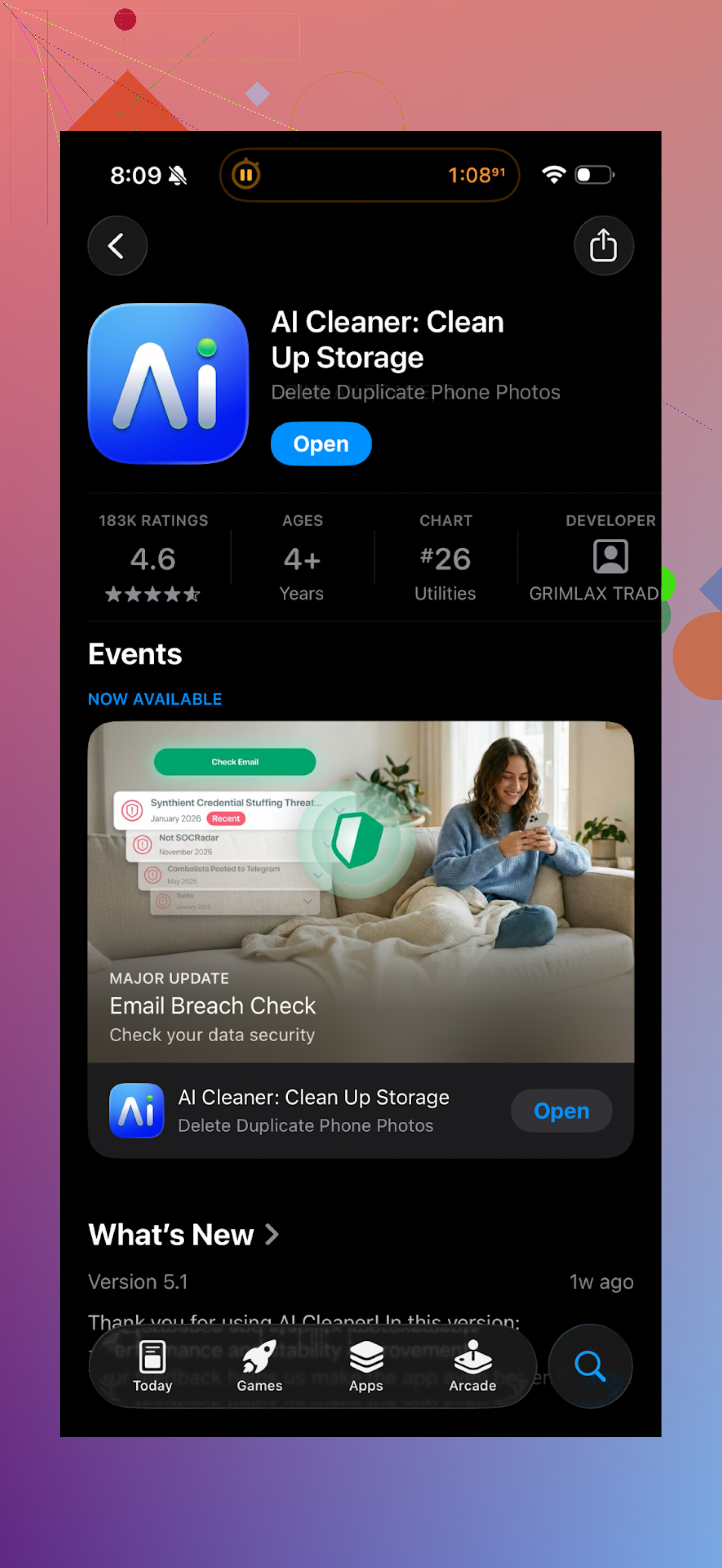
Tried this AI Cleaner: Clean UP Storage thing on my iPhone when I ran out of space before a trip. Looked solid at first glance, clean UI, quick scan, all that. Then I started tapping through the results.
Every second tap turned into a paywall.
Want to remove “unnecessary” videos? Pay.
Want to bulk delete duplicates? Pay.
Want to finish what the scan started? Guess what.
Most of what I needed was locked, and it kept throwing subscription prompts in my face whenever I tried to confirm a cleanup. It felt like the free version was there only to tease you.
The “AI” part did not inspire much trust either. It lumped together photos that were similar in mood, not content. For example, it grouped:
- a sharp photo with
- a slightly different angle
- and sometimes a totally different pose
as “duplicates”. If I had accepted everything blindly, I would have lost some photos I wanted to keep.
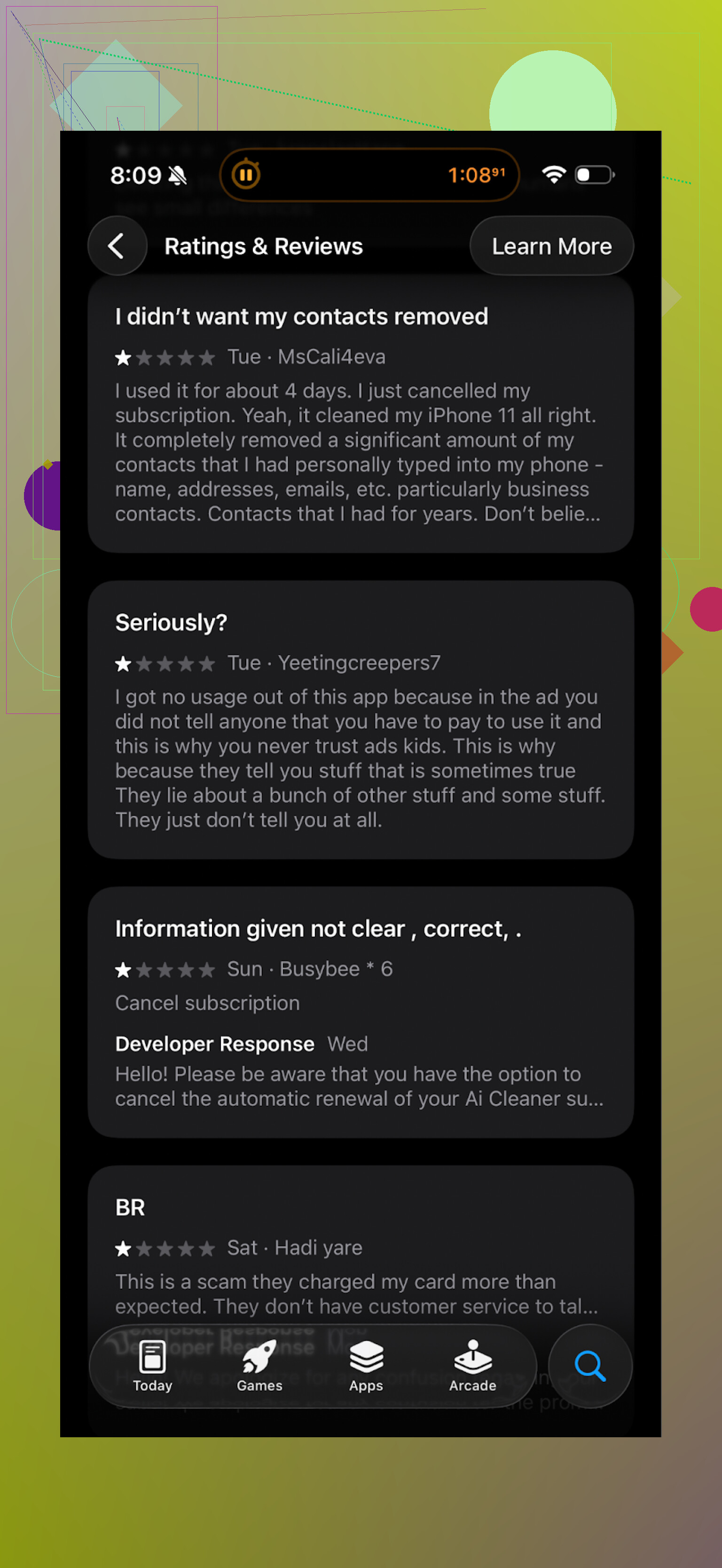
Here is what other people are saying about it:
What I switched to instead: Clever Cleaner
After that, I went hunting for alternatives and landed on Clever Cleaner.
App Store link:
This one felt different right away. No immediate subscription ambush, no fullscreen “upgrade now” spam when you tap anything.
What stood out for me:
- Price model and pressure level
- The actions I needed were available without getting forced into a subscription.
- I did not hit a hard limit after the first cleanup attempt.
- No fake urgency like “limited time discount” banners everywhere.
I could run a full session and see what it does in practice, not in theory.
- What it finds on the phone
On my device it flagged:
- Similar and duplicate photos
- Old screenshots I forgot about
- Large videos
- Other big files buried deep in folders
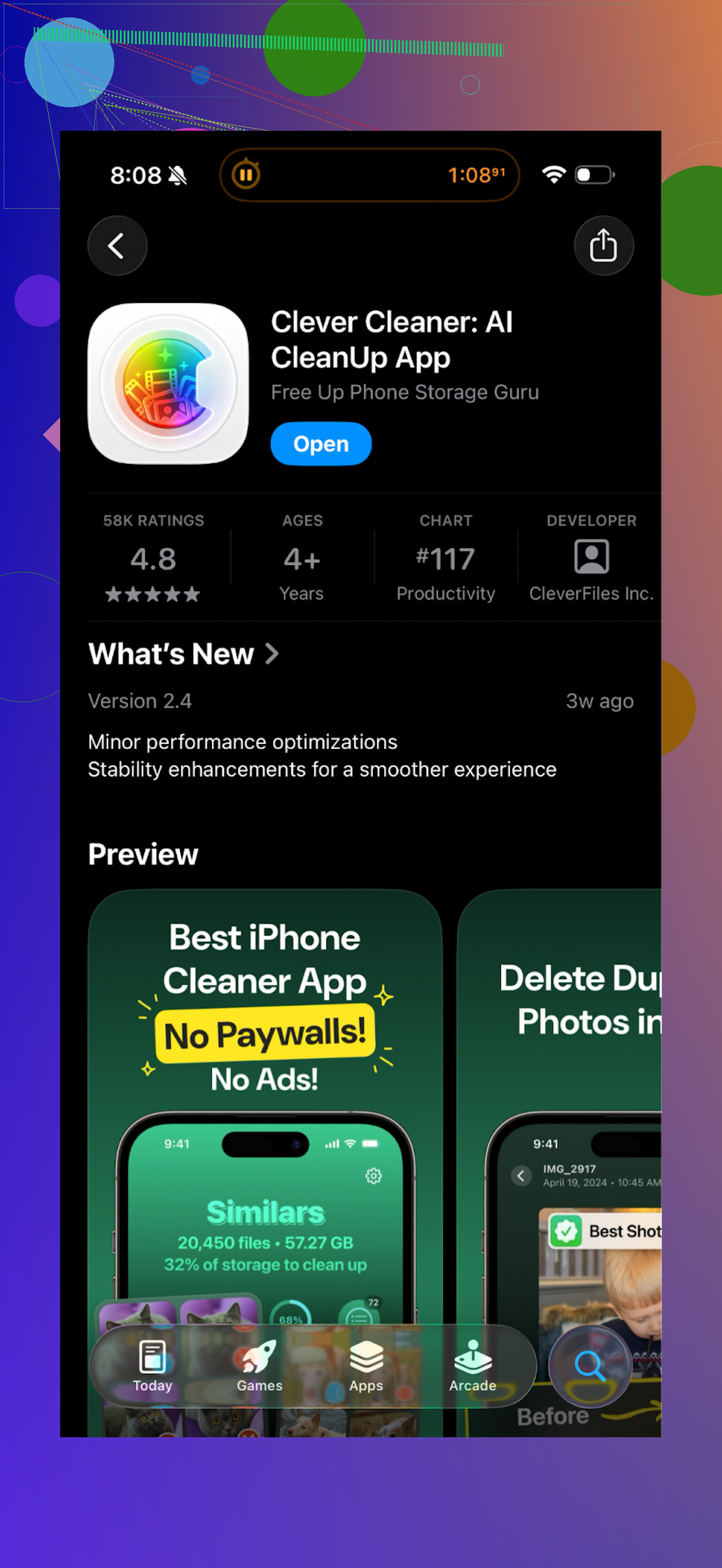
The duplicate and similar photo detection felt tighter. It still suggested near-duplicates, but the pairs made sense. Think “five shots of the same thing with slightly different timing” instead of “two related but unique photos from different moments”.
I freed up a few gigabytes in about 10 minutes by:
- bulk deleting screenshots older than a year
- nuking long screen recordings I already backed up
- trimming photo bursts where only 1 or 2 frames mattered
- Privacy angle
One thing I checked right away was whether it pushed uploads. My phone runs hot when something pushes stuff to the cloud.
Clever Cleaner processed everything locally on the phone. No “uploading your media” message, no network spike, no account requirement. For photo cleanup tools, I want that. Less data leaving your device, fewer things to worry about.
- Speed and general feel
On my iPhone, AI Cleaner took longer to scan and always felt like it wanted my money first and my storage second.
Clever Cleaner:
- scanned faster
- opened result categories quickly
- let me swipe through suggestions without lag
Nothing fancy, it just did the job without getting in my way.
If you want to try it, here is the homepage:
And the App Store link again:
Video and extra reading
YouTube video:

If you want broader opinions, there is also a Reddit thread that compares cleaner apps and talks about why some of them are risky long term:
https://www.reddit.com/r/DataRecoveryHelp/comments/1d733gm/best_iphone_cleaner_apps_and_why_you_shouldnt_use/
My take after trying both: if you value your time and do not want a paywall surprise every other tap, start with Clever Cleaner instead of AI Cleaner.
1 Like
Short answer from my side: no, AI Cleaner is not worth it compared to other cleaners.
My take after testing a bunch of iOS cleaners on a 128 GB iPhone that was almost full:
- Business model and paywalls
AI Cleaner leans hard into “scan for free, pay to do anything useful”.
You get a nice scan, then paywalls on:
- mass deleting junk
- smart photo cleanup
- most “AI” features
Free tier feels like an ad for the subscription, not a real tool.
I got hit with popups so often it slowed the whole process down.
Clever Cleaner App behaved better on that front for me. Less pushy, more stuff works before you decide if it is worth paying. I do not fully agree with @mikeappsreviewer on the pressure level, I still saw upsells there too, but it felt more balanced.
- “AI” accuracy
AI Cleaner grouped photos in a way that made me double check everything.
Example from my tests:
- one good portrait
- one similar angle but different expression
- one photo with another person in frame
All thrown into “duplicates”.
You need to manually review a lot or you risk deleting photos you like.
Clever Cleaner App had tighter similarity groups in my case. More “same burst, same subject, tiny variation”. Still needs review, but I trusted its suggestions more.
- Performance and storage impact
On my iPhone 13:
- AI Cleaner scan took longer, especially on big photo libraries
- The app itself used more storage than I liked for a “cleaner”
- It felt heavier during navigation and preview
Clever Cleaner App scanned faster and opened groups quicker.
I cleared 3 to 4 GB in one session by:
- trimming old screen recordings
- removing large WhatsApp videos saved to camera roll
- clearing old screenshots by year
AI Cleaner did find similar stuff, but the workflow was slower due to paywalls and extra taps.
- Privacy and data handling
The ads for AI Cleaner talk a lot about “privacy protection”.
On my device, I saw:
- analytics and tracking toggles that defaulted to on
- prompts to allow network access even when tasks were local
Nothing insane, but not aligned with the strong privacy marketing.
Clever Cleaner App worked fine in airplane mode for photo cleanup. That is a good sign the heavy lifting stays local. Still, you should always check iOS privacy settings and turn off analytics for any cleaner you try.
- Do you even need an app
For iPhone, Apple already gives you:
- Recommendations in Settings > General > iPhone Storage
- “Review large attachments” in Messages
- Album filters in Photos: Screenshots, Bursts, Duplicates (native)
If you are a light user, these are often enough.
A third party cleaner only makes sense if:
- your photo library is huge
- you record lots of video
- you want a faster workflow than manual sorting
My practical advice
- If you want to test something, start with the built in iOS tools.
- If that feels too slow, try Clever Cleaner App before AI Cleaner.
- With any cleaner, never hit “select all” on photos or videos. Scroll, sample groups, and check edge cases.
- Run it once, see how much space you free, then decide if a subscription makes sense for you.
So if your question is “should I install AI Cleaner from those ads”, I would skip it and either use system tools or give Clever Cleaner App a shot instead.
Short version: for most people, no, AI Cleaner isn’t really “worth it” compared to other cleaners, especially once you get past the flashy ads.
I’m mostly on the same page as @mikeappsreviewer and @codecrafter about the paywall and the “AI” photo grouping being kinda sketchy, but I’ll add a few angles they didn’t dive into much:
- The “speed up your phone” claim
On iOS specifically, cleaners can’t really magically speed up your device. iOS handles RAM and background processes itself. At best, these apps:
- free storage by removing media and cached stuff
- maybe clear some temporary files in their own sandbox
If your phone feels faster after, it is usually because you had almost no free space and the OS was choking. You can acheive the same thing manually or with a less aggressive app. So the “AI turbo speed” stuff in the ads is mostly marketing sugar.
- Junk file cleaning vs risk
AI Cleaner, from what I’ve seen, tries to be “helpful” with auto selections, but that is where it can bite you:
- over-aggressive duplicate detection
- grouping non‑duplicates as “similar” and nudging you to bulk delete
Personally, I prefer a cleaner that is a little “dumber” but more predictable than something that pretends to be ultra‑smart and quietly mislabels things. The way AI Cleaner treats near‑duplicates feels a little too confident for my taste.
- Privacy claims vs reality
They shout “privacy protection” a lot in ads, but on-device behavior matters more:
- trackers/analytics enabled by default
- network access requests for a tool that should mostly work offline
I’m not saying it is spyware, just that the privacy branding feels stronger than the actual implementation. If privacy is a big concern for you, that mismatch is a red flag.
- Subscription math
This is where I slightly disagree with how relaxed some folks are about subscriptions in general. Paying a recurring fee for something you use maybe once a month to clean screenshots is, honestly, not great value.
For that kind of “burst use” tool, I’d rather:
- pay a small one‑time unlock, or
- at least use a cleaner that lets the free tier do some real work before nagging
AI Cleaner leans heavily into “subscribe first, get value later,” which makes it feel more like an ad funnel than a utility.
- How Clever Cleaner App fits in
If you really want a dedicated tool instead of just the built‑in iPhone storage options, then Clever Cleaner App is actually a reasonable middle ground from what I’ve seen and tested:
- more sane photo grouping
- can run cleanup sessions without slamming you with constant popups
- works offline for photo cleanup, which is big from a privacy angle
It is not perfect, and yeah, there are still upsells, but as a practical “I just want to clear space without sweating every tap” option, it is less annoying. If you search for “Clever Cleaner App” in the App Store you’ll find it pretty quick.
- When an app is actually worth it
An extra cleaner app makes sense if:
- you shoot tons of photos and 4K videos
- you’re constantly at 1–2 GB free
- manually managing media in Photos / Settings feels like a full-time job
If you’re more of a light user, try:
- Settings → General → iPhone Storage → recommendations
- Photos app “Duplicates” and “Screenshots” albums
before installing anything. That alone can clear a surprising amount.
So, answering your original question directly:
If you are choosing purely based on those AI Cleaner ads, I’d skip it. Use iOS’ built‑in tools first, and if you still want an app, try something like Clever Cleaner App instead of jumping into AI Cleaner’s paywall maze.
Short version: AI Cleaner is mostly clever marketing. It works, but the tradeoffs vs other options are not great.
Where I agree with @codecrafter, @sognonotturno and @mikeappsreviewer:
- The “AI” duplicate detection is too aggressive and can mislabel genuinely different photos as throwaway.
- The free tier feels like a funnel into a subscription, not a usable tool.
- The “privacy” branding does not fully match what you see in settings and network prompts.
Where I’d slightly push back:
- It is not totally useless. If you already paid and are careful with what you accept, you can clear space. It is just not the best value or experience for most people.
- Some people like very opinionated auto cleanup. AI Cleaner leans that way, which might suit you if you are comfortable risking the occasional over-delete and do not want to think much.
About Clever Cleaner App specifically:
Pros:
- Less pushy monetization than AI Cleaner. You can actually get a feel for the tool before committing.
- Similar and duplicate photo groups are more conservative, so fewer “how did that end up in trash” moments.
- Runs photo cleanup locally and works fine with connectivity off, which lines up better with the privacy story.
- Interface is straightforward, so you can get through a big cleanup session without fighting the app.
Cons:
- Still has upsells and nudges. It is not a charity, you will see pay prompts.
- The “AI” here is more cautious, which means less aggressive space gains if you want ultra deep, fully automated pruning.
- Like any cleaner, it is another subscription or purchase in a category you might only use heavily a few times a year.
How I’d choose:
- Light user or only occasionally full storage: stick to iOS tools first, like the storage recommendations and native Duplicates album.
- Heavy photo / video hoarder who wants help but still wants to review groups: try Clever Cleaner App.
- If you specifically want a hyper-automated cleaner and do not mind subscriptions plus careful checking after: AI Cleaner can do the job, but the constant paywalls and trust issues with its “smart” picks make it hard to recommend over the alternatives others already tested.