Is IINA really a universal media player for Mac?

Hi everyone,

I’ve been looking for a media player on macOS that can handle pretty much everything I throw at it. I keep seeing IINA mentioned as a modern alternative to VLC media player, and I’m wondering, is IINA really a “universal” player in practice?

Okay, I can share my honest review of IINA player.

:artist_palette: Interface and Experience

IINA is designed specifically for macOS, and it shows in daily use.

  • Follows macOS design language and system controls

  • Clean layout that feels like a native Mac app

  • Gestures and Touch Bar support on compatible models

  • Smooth playback, especially with newer codecs

Compared to the VLC media player, IINA feels more integrated into macOS. VLC’s interface is often described as dated and less consistent with modern Mac design. In terms of playback, many users report that IINA handles newer formats more smoothly.


:clapper_board: Features and Format Support

IINA supports a wide range of media formats:

  • MP4, MKV, MOV, and many others

  • Built on mpv, allowing script extensions

  • Plugin support for online media (e.g., YouTube via yt-dlp)

IINA is often seen as more color-accurate overall, though some users mention oversaturated playback in certain cases.


:high_voltage: Performance and Battery

Because IINA is built only for macOS, it uses Apple’s native frameworks.

  • Hardware acceleration support

  • Efficient decoding on Apple Silicon and Intel Macs

Many users report better battery efficiency compared to VLC. However, results vary depending on file type and system configuration.


:warning: Known Issues

While generally stable, there are some reported concerns, for example, when macOS changes system frameworks or security policies, IINA may need a new build to stay compatible. If that update takes time, users can be left with non-working playback or missing functionality.

This issue is annoying because they interrupt daily use, especially for people who update macOS soon after a new release. It doesn’t always affect everyone, but when this issue occurs, the experience can feel unstable compared to players with official macOS support.


:counterclockwise_arrows_button: Alternatives

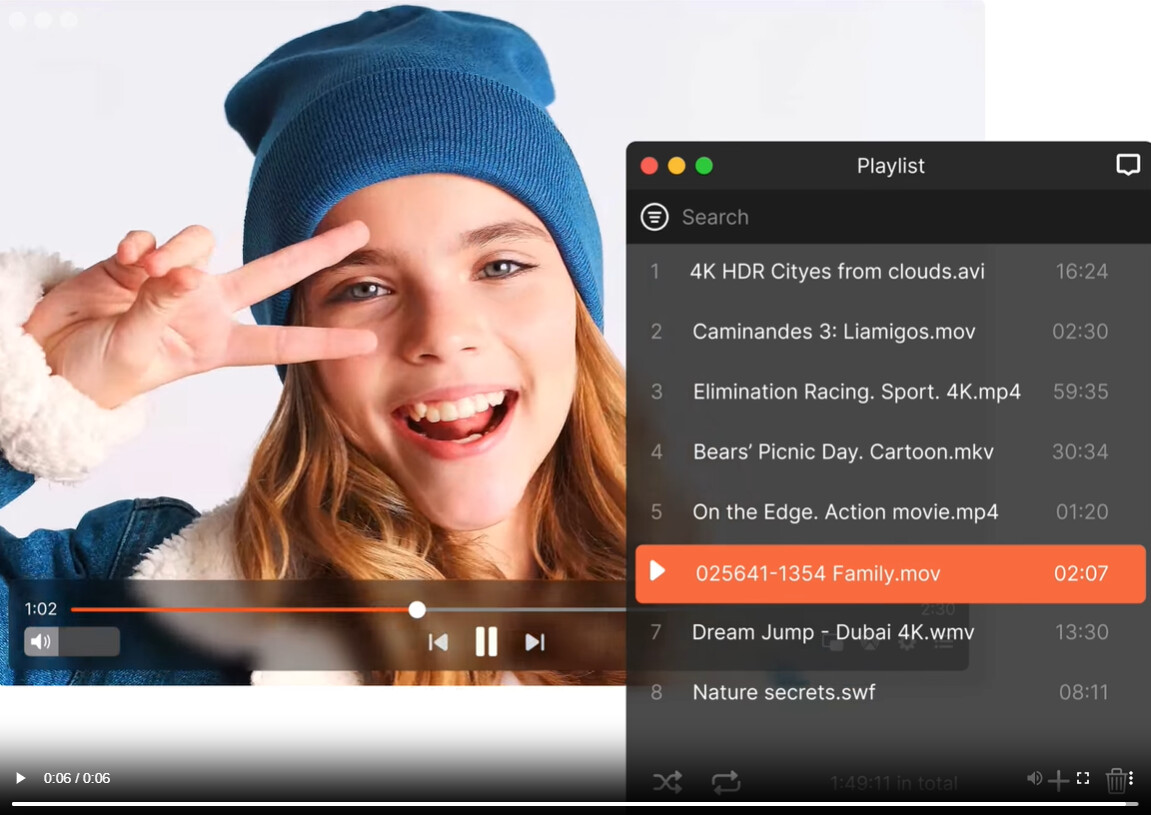
Elmedia Player

Elmedia Player is a third-party media player for macOS with a broader feature set:

  • Wider format support than QuickTime
    Plays AVI, MKV, FLV, and other formats without needing external codecs.

  • Custom playback features
    Includes playback speed control, subtitle settings, and audio visualizers.

  • Media streaming options
    The Pro version supports streaming to external devices or sharing across a local network.

Elmedia Player feels like a more flexible third-party tool. It handles more formats natively, has extra media features, and may be a better fit for users with mixed media libraries.

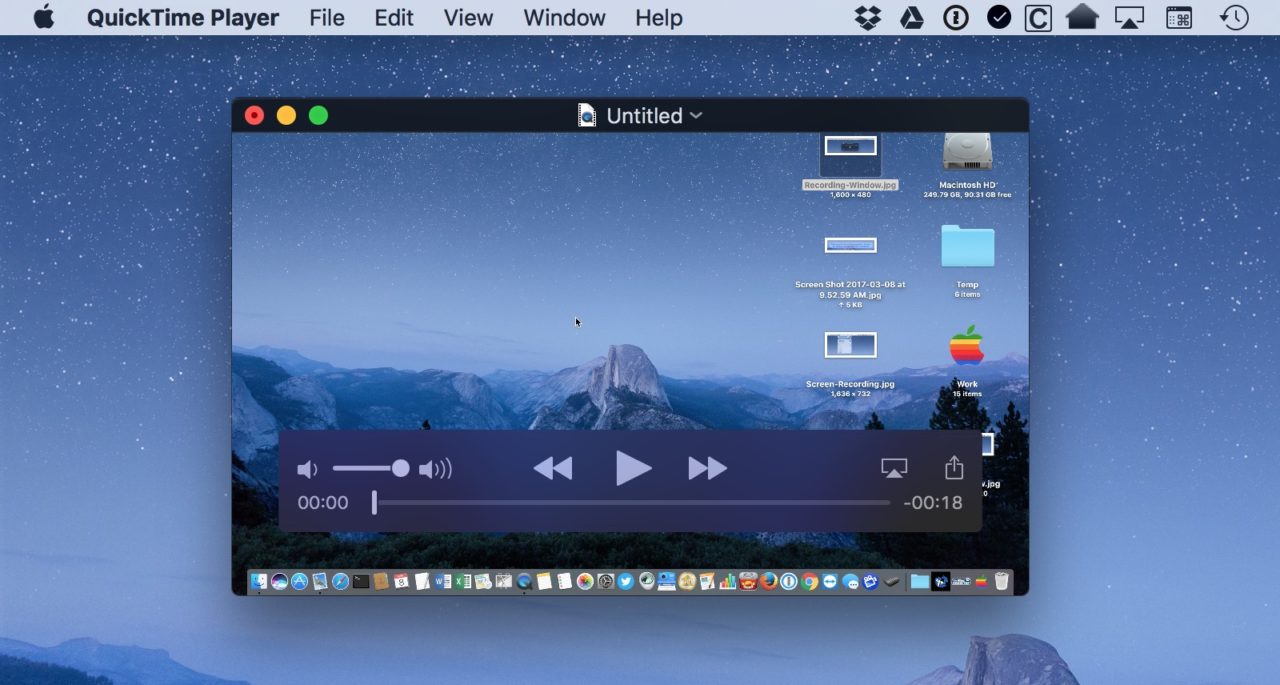
QuickTime Player

  • Native integration
    It launches quickly, uses familiar controls, and follows macOS conventions.

  • Good for common formats
    Works reliably with MP4, MOV, AAC, and other widely used formats.

  • Simple feature set
    Basic playback, trimming, and exporting are built in, but advanced options are limited.

QuickTime works well for basic playback but struggles with many popular container formats. Elmedia Player offers broader compatibility and extra playback features, making it more flexible for varied media libraries.
For those interested in exploring a wider range of software, there are several active forum threads where Mac users share their updated impressions of the best media player.


:memo: Conclusion

IINA is a macOS-focused media player with a modern interface, strong HDR support, and wide format compatibility. It generally offers smoother integration with macOS than VLC, though occasional compatibility and battery issues are reported. For users who want a native-feeling player with advanced format support, it is a practical option, while alternatives like Elmedia Player may suit different needs.
2 Likes

Short answer for Apple Silicon: IINA covers almost everything most people throw at it, but it is not “universal” in the sense of absolutely every codec and use case.

Some quick points from daily use on an M1 and M2:

  1. Format support
    • Plays the common stuff: MP4, MKV, MOV, AVI, FLV, WebM, etc.
    • Audio: AAC, MP3, FLAC, Opus, AC3, DTS, many more.
    • Subtitles: SRT, ASS, embedded subs, multiple tracks, styling, etc.
    If your library is from Blu‑ray remuxes, web rips, torrents, fansubs, it will handle almost all of it.

  2. Apple Silicon performance
    • Uses hardware decoding for H.264 and HEVC via VideoToolbox on M1/M2.
    • 4K H.264 and HEVC run cool and quiet.
    • VP9 and some odd codecs hit the CPU harder, so fans on Intel, higher usage on M1/M2.
    On my M2 Air, 4K HEVC in IINA sits around 10–20 percent CPU. VLC with the same file sits more around 25–35 percent. Battery drain is lower in IINA for those files.

  3. Color and HDR
    This is where I disagree a bit with @mikeappsreviewer. On my Studio Display IINA often looks slightly oversaturated with HDR to SDR tonemapping, especially anime and some Netflix rips. VLC looks flatter but closer to what I see on a TV.
    If color accuracy is important, expect to tweak IINA’s mpv configs and macOS display settings. Out of the box it looks “nice” but not always correct.

  4. Stability and OS updates
    IINA is open source and lags sometimes after big macOS releases. I had a couple of weeks on a Sonoma beta where hardware decoding broke and 4K ate the CPU. VLC and mpv got fixes faster in that round.
    If you update macOS on day one every time, keep a backup player installed.

  5. Where it is not universal
    • Strict HDR workflows, color critical work: I would not rely on it alone.
    • Weird legacy codecs, obscure broadcast formats: ffplay or raw mpv are safer.
    • Heavy streaming features, DLNA, Chromecast: this is where it falls short.

  6. What I would do in your place
    If you want one main player on Apple Silicon:

Primary: IINA
• Best mix of macOS look, mpv power, and Apple Silicon support.
• Great for local files of almost any common type.

Backup: Elmedia Player
• Elmedia Player handles streaming to Chromecast, Apple TV, and smart TVs better.
• Its UI exposes more options without config files.
• Good second option when IINA glitches after an OS update or misbehaves with network stuff.

QuickTime
• Keep it for quick AirDrop clips and screen recordings.
• Do not expect it to be your only player.

So, yes, IINA is close to a “universal” media player for macOS on Apple Silicon for normal users. For a single main player, you are safe picking IINA, but I would install Elmedia Player alongside it so you are covered on streaming, network playback, and the odd file that IINA or mpv handle poorly after an update.

Short version: on Apple Silicon, IINA is an excellent default player, but “universal” is marketing brain-worms. Treat it as your daily driver, not your only car.

A few angles that @mikeappsreviewer and @espritlibre didn’t quite hammer:

  1. “Plays everything” has an expiration date
    A lot of people say “IINA/mpv plays everything,” but that’s only true until you hit:
  • Weird broadcast stuff (old MPEG‑2 TS variants, odd interlacing)
  • Obscure, half‑abandoned codecs from DVD authoring tools
  • Some DRM’ed streams or corporate training garbage wrapped in custom players

Those can often be coerced to work if you’re willing to touch mpv configs or transcode, but that’s no longer “it just works” universal.

  1. mpv under the hood is both a blessing and a trap
    Yes, you can tweak tone mapping, debanding, scaling, filters, etc.
    No, the average person is not going to maintain a custom mpv.conf for the next 4 macOS releases.

IINA looks friendly until you hit something like:

  • HDR looking too punchy or too flat depending on clip
  • 10‑bit HEVC with funky color primaries
    Then suddenly you’re copy‑pasting configs from GitHub issues and hoping it fixes gamma. Universal? Not really. Powerful? Absolutely.
  1. “Apple Silicon native” is good, but not magic
    On M‑series:
  • H.264 / HEVC: IINA is great, cool temps, low CPU, like others said.
  • VP9 / AV1 / some older stuff: can still spike CPU a lot, and IINA does not always behave wildly better than VLC or plain mpv there.

So if you mostly watch YouTube rips, anime fansubs, Blu‑ray remuxes, etc., you’re in very good shape. If you work with random client files all day, keep expectations in check.

  1. Where I actually disagree a bit
    People put a lot of weight on the “feels native” argument. It does, and that is nice. But if you care about control more than UI aesthetics, vanilla mpv with a decent front‑end or even VLC’s chaos of options can still be better. IINA hides a lot of mpv’s knobs, and you have to drop to config files when you hit its limits. Some users would rather have the ugly but fully exposed UI of VLC than that split‑brain.

  2. Streaming and “media center” use
    This is where “universal” falls apart fastest. IINA is local‑file‑first.
    If you want:

  • Casting to Chromecast / TVs
  • DLNA
  • Turning your Mac into a semi‑media‑hub for a living room

IINA is not great. This is exactly where Elmedia Player makes sense. It is not as nerd‑tunable as IINA/mpv, but if you care about “open file, send to TV, done” Elmedia Player is straight up more practical. Having IINA for heavy local playback and Elmedia Player for network / casting is a very sane combo.

  1. How I’d actually set things up on an Apple Silicon Mac
    If you want one main player that “just works” most of the time:
  • Make IINA your default for:

    • Local files
    • Most movies / shows / anime
    • Stuff you care about scrubbing smoothly and watching fullscreen
  • Keep Elmedia Player installed for:

    • Chromecast / Apple TV / Smart TV playback
    • Occasional cases where IINA misbehaves after a macOS update
    • A friend dropping over and you just want to cast without debugging configs
  • Let QuickTime handle:

    • Airdropped iPhone clips
    • Short screen recordings
    • Anything lightweight where you do not care about obscure codecs

So: IINA is practically universal for normal people with normal libraries on Apple Silicon, but not in the literal “every codec, every workflow, every network scenario” sense. Pair it with Elmedia Player and you’ll cover way more real‑world use than trying to crown any single app as the one true “universal” player.

Short version: IINA is an excellent “99% of my local files” player on Apple Silicon, but not a true universal. Treat it as your default, not your only tool.

A few angles that complement what @espritlibre, @kakeru and @mikeappsreviewer already said:

1. Where IINA really shines on Apple Silicon

  • Local library in common containers: MP4, MKV, MOV, typical web rips, Blu‑ray remuxes, fansubs. These are essentially solved problems in IINA.
  • Smoothness: seeking and track switching feel snappier than VLC in a lot of 4K content, especially on M‑series chips.
  • “Mac‑ness”: media keys, picture‑in‑picture, trackpad scrubbing, system integration are all more polished than the cross‑platform players.

For someone who mostly downloads or rips content and watches it locally, IINA can absolutely be your main player.

2. Where “universal” breaks down

This is the part that often gets glossed over:

  • Edge codecs and weird archives: old training DVDs, capture cards that record in funky MPEG‑2 variants, some ProRes or DNxHD test clips. IINA’s mpv base can usually decode them, but occasionally you hit a file that needs manual flags or a re‑encode.
  • HDR workflows: if you care about reference‑ish accuracy on a calibrated display, IINA’s default tone mapping might not be what you want. You can tune mpv configs, but that is already beyond “universal” and into “enthusiast tweaking.”
  • Streaming or “living room” use: no real Chromecast / DLNA / TV streaming story. Local‑only, basically.

So for a strict “one app for everything” mindset, IINA still has blind spots.

3. Where Elmedia Player fits in

This is the piece I think is under‑sold in the other replies. Elmedia Player covers a different set of “universal” needs:

Pros of Elmedia Player

  • Very good for casting:

    • Streams to Chromecast, Apple TV and many smart TVs with fewer hoops.
    • Less fiddling when you want to send an MKV with multiple subtitles to a living room device.
  • Accessible controls in the UI:

    • Playback speed, audio sync, subtitle sync and font controls are front and center.
    • Good for people who do not want to touch config files for everyday tweaks.
  • Format coverage:

    • Also plays the common MKV / AVI / MP4 pile without needing codecs.
    • Handles multi‑track audio and subtitles cleanly.

Cons of Elmedia Player

  • Not as “tuned to Apple Silicon” as IINA in every path:

    • Hardware decoding is solid, but IINA often feels a bit more efficient with HEVC on M‑series in my experience.
  • Less mpv‑style depth:

    • You do not get the same level of low‑level filters, scripts, and custom pipelines.
    • Power users who like to script and tweak may find it limiting compared to IINA + mpv configs.
  • Pro features locked behind payment:

    • Casting and some advanced options require the paid tier.
    • For purely local playback you might not need that, but it matters if you want “universal across devices.”

So Elmedia Player is not a direct “better IINA,” it is more like a complementary tool that covers the network / casting definition of “universal.”

4. How I would set things up in practice

If you are aiming for one main media player on Apple Silicon:

  • Make IINA the default app for all video and audio files.
  • Install Elmedia Player as the “when this needs to go to a TV or Chromecast, use this instead” option.
  • Keep QuickTime around for trivial stuff like iPhone clips and quick edits.

This way you are not trying to force IINA to be something it is not, and you still get a setup that behaves “universal” in real life: IINA for nearly everything local, Elmedia Player for casting and those odd network scenarios, and a tiny role for QuickTime.