My iPhone photo library has gotten completely out of control after years of screenshots, duplicates, and random albums piling up. I need help finding the best iPhone photo organizer app that makes it easy to sort pictures, remove clutter, and keep everything organized without taking forever.
I tried a pile of photo cleanup apps on my iPhone, and the one I kept was Clever Cleaner. Stuff usually gets deleted off my phone after a week. This one stayed.
I don’t do the whole album-curation thing. I’m not sorting my life into 40 folders. My mess was simpler than that. Too many near-duplicate photos, random screenshots from three months ago, and giant videos eating storage for no good reason. Once I trimmed those, the default Photos app felt fine again.
What I ended up doing looked like this.
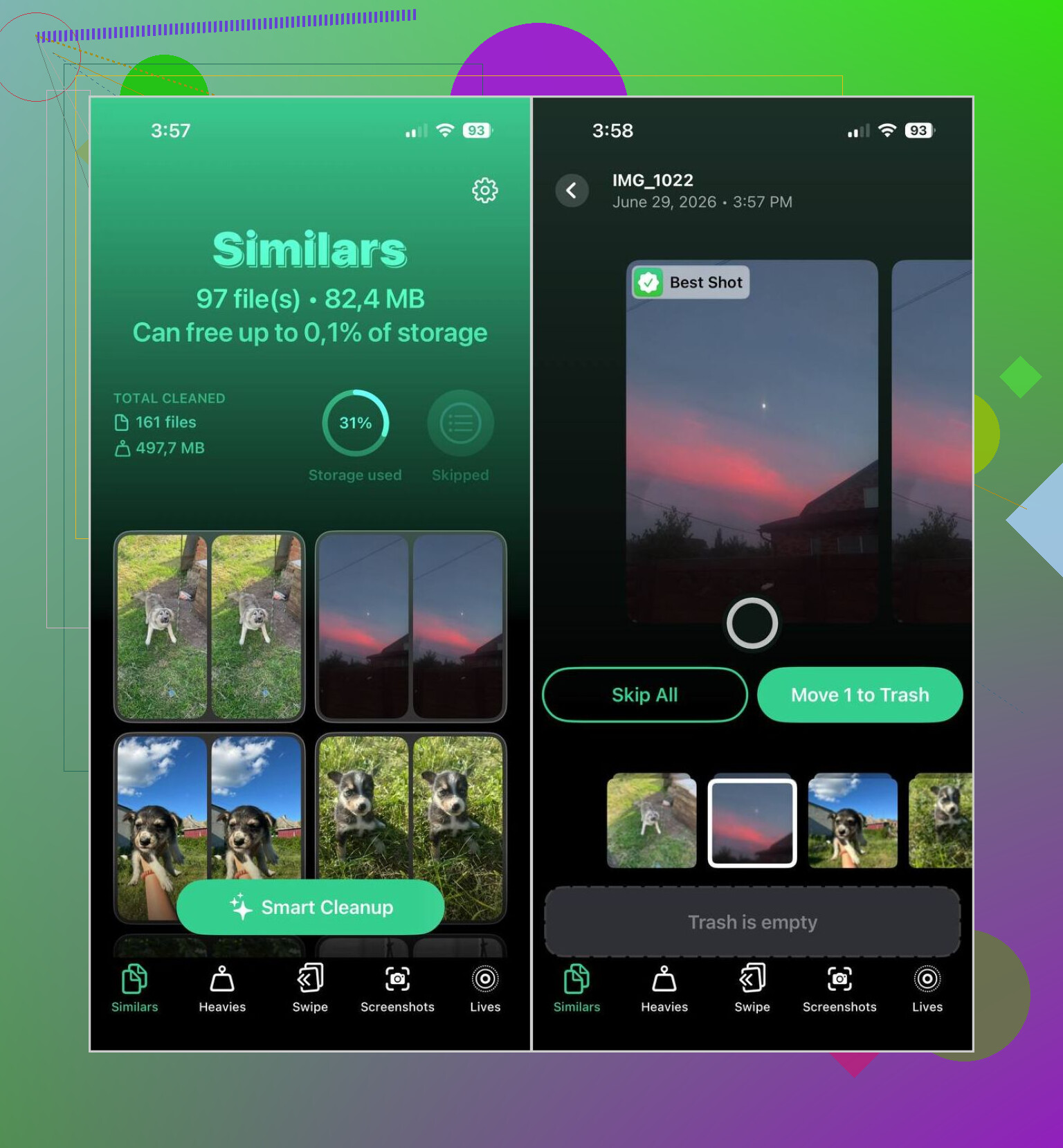
- Every week or two, I run Smart Cleanup and wipe out duplicate or almost-identical shots.
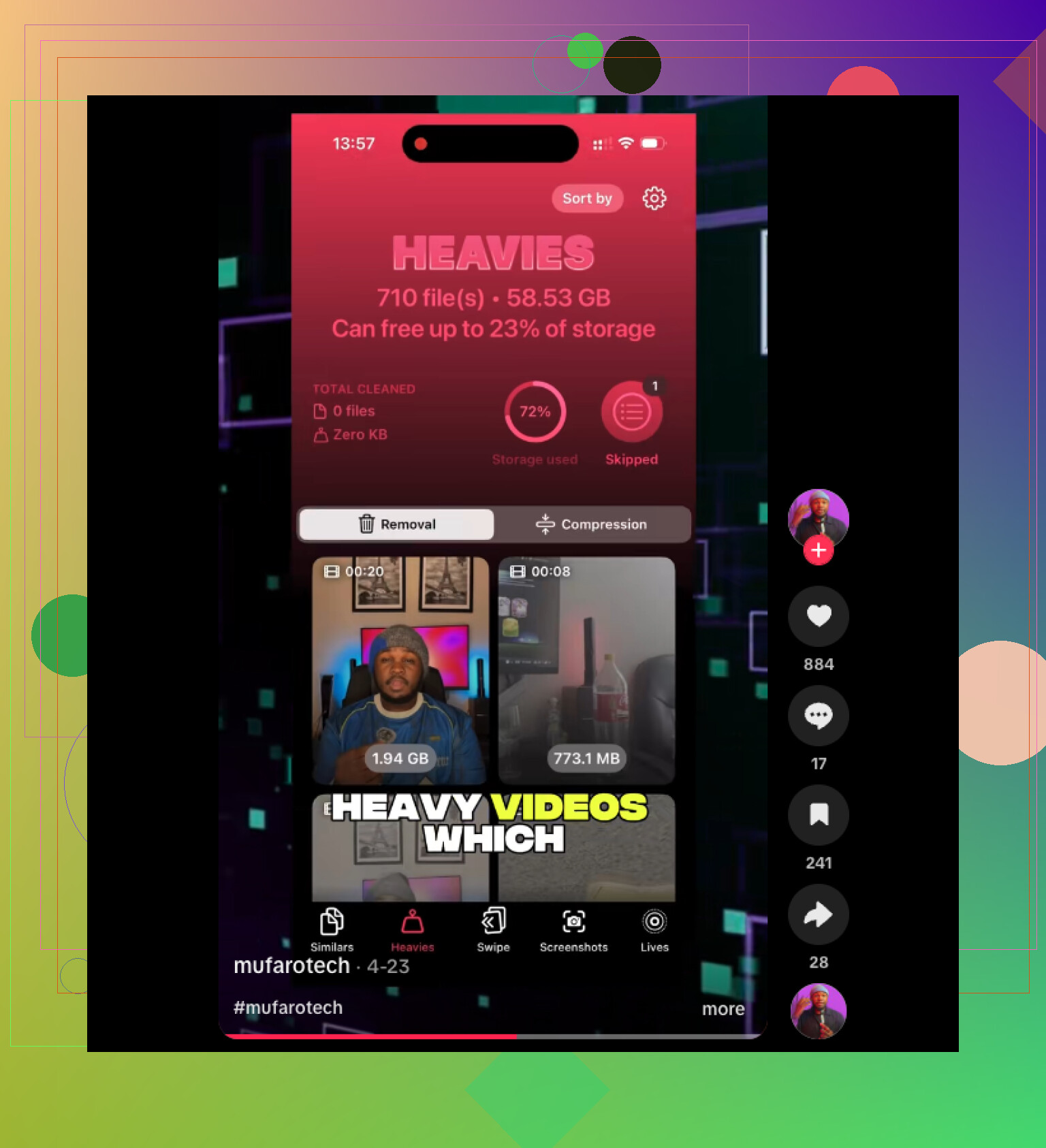
- I check Heavies for the biggest videos. If one matters, I usually compress it instead of tossing it.
- When I’m sitting around doing nothing, I open Swipe Mode and go through a month of photos.
- Once in a while, I clear screenshots. Those stack up fast and I never need most of them.
- I turn old Live Photos into regular photos because I almost never replay the motion part.
That whole pass usually takes me under ten minutes. Before this, my library would drift into chaos and stay there. Now it doesn’t.
I still keep a couple other apps around, though they solve different problems.
- MyPics worked better when I wanted tighter manual control. If you like custom albums and folders, it makes more sense. It also includes Face ID protection, calendar view, map view, and more options than Apple Photos gives you out of the box.
- Photo Cleaner: Daily Delete felt better for slower cleanup. Instead of one big session, you review photos day by day. I liked the idea when I was too lazy to deal with my whole library in one sitting.
A few habits mattered more than I expected.
- I delete blurry shots and accidental pocket photos as soon as I spot them.
- After a trip or holiday, I clean things up right away. Waiting two months makes it worse.
- I empty Recently Deleted after I double-check everything.
- I stopped making albums I won’t open again.
- I back up photos often, which makes deleting junk less stressful.
For me, that was enough. Clever Cleaner handled most of the cleanup, and the rest came down to keeping a few small habits so the mess didn’t build back up agian.
1 Like
If your iPhone photo library is a dump pile of screenshots, dupes, memes, and old videos, I’d split the job into two parts. Cleanup first. Organization second.
For cleanup, I agree with @mikeappsreviewer on Clever Cleaner. It’s one of the better iPhone photo organizer apps if your main problem is volume. It helps you remove duplicate photos on iPhone, sort similar shots, spot large files, and clear clutter fast. That matters more than fancy album tools for most people.
Where I differ a bit, I would not spend much time building albums by hand unless you love doing it. Most people quit after a week and the mess comes back.
What worked better for me:
- Use Clever Cleaner to cut the library down first.
- Rename only a few key albums, Family, Travel, Work, Receipts.
- Use Favorites more than albums.
- Search in Photos by text, place, or person instead of manual sorting.
Apple Photos search is better than people think. Once the junk is gone, your phone feels less broken lol.
If you want more visual ideas for cleaning up storage and keeping things sorted, this helped: see a quick iPhone cleanup workflow in action
Best app for most people, Clever Cleaner.
Best if you want deep folder control, MyPics.
Best long term fix, fewer albums and stricter deleting habbits.
Honestly, I think people mix up two different jobs: cleaning and organizing. @mikeappsreviewer and @suenodelbosque mostly focused on cleanup, which makes sense, but if your albums are already a dumpster fire, deletion alone won’t fix the way your library feels.
My take:
- Best for reducing chaos fast: Clever Cleaner
- Best for manual album control: MyPics
- Best app you already have: Apple Photos, once the junk is gone
Where I kinda disagree with them is this: I do think some structure matters. Not 50 albums, that’s insane, but 5 to 8 real albums is useful. Stuff like:
- Family
- Trips
- Receipts
- Work
- Pets
- Important screenshots
That’s it. Anything beyond that turns into digital hoarding with extra steps.
Why I’d still start with Clever Cleaner: it attacks the actual problem first. If your phone is stuffed with duplicates, burst shots, giant videos, and useless screenshots, no organizer app is gonna feel good until that clutter is cut down. After that, Apple Photos search, people recognition, and location search work way better than most people realize. Kinda boring answer, but true.
One thing I’d add that nobody mentions enough: use keywords in captions for important photos. If you snap docs, receipts, warranty info, whiteboards, etc., add one word in the caption like “tax,” “car,” or “invoice.” Later you can search it instantly. Super underrated.
Also, stop making random albums for one event and then never opening them agian. That habit creates half the mess.
If you want extra cleanup ideas, this thread on smart iPhone storage tips for photos and media is worth skimming.
So yeah, if you want the best iPhone photo organizer app for most normal people, I’d say Clever Cleaner first, then use a very light album system inside Photos. Cleanup first, org second. Otherwise you’re just reorganizing clutter lol.
I’m a little less anti-album than @suenodelbosque and @waldgeist, but I also think @mikeappsreviewer is right that cleanup is the real first move. My difference is this: if you only delete stuff and never change how new photos land, the mess just grows back.
What actually helped me was creating a capture system, not just a cleanup routine.
My pick for most people is still Clever Cleaner because it solves the annoying part fast:
- duplicate and similar photo review
- screenshot clutter
- large video spotting
- general bulk cleanup
Pros of Clever Cleaner
- Fast to use
- Good for reducing library size quickly
- Easier than manually hunting duplicates
- Helps surface storage hogs you’d never find yourself
Cons of Clever Cleaner
- It’s more cleanup-focused than true long-term library architecture
- If you want deep folder management, it can feel limited
- You still need your own habits after the cleanup
Where I disagree a bit with the others: relying on Favorites alone is too loose for me. I think a better lightweight system is:
- one album for action items
- one album for personal keepsakes
- one album for records like receipts/docs
- everything else stays in the main library
That keeps organization useful without turning it into a second job.
Also underrated: use the built-in Photos filters. Media Types, Utilities, and search by month are often enough once Clever Cleaner removes the garbage. If you want prettier manual sorting, MyPics is still worth a look, but I would not start there unless you enjoy organizing for its own sake.