I’m trying to clean up my writing for emails and blog posts and heard the Quillbot free grammar checker could help, but I’m not sure if it’s accurate enough or better than other free tools. Can anyone share real experiences, pros and cons, or tips on using it effectively for everyday writing and SEO-focused content
I use Quillbot free a lot for emails and blog drafts, so here’s the blunt version.
Short answer: it helps, but you should not rely on it alone.
What Quillbot free does well:
- Fixes obvious grammar slips, missing commas, agreement errors.
- Cleans up clunky sentences if you use the paraphraser with “Fluency.”
- Good for quick passes on emails and short posts.
Where it falls short:
- Sometimes changes tone in weird ways. A friendly line turns stiff or robotic.
- Misses context. It might “fix” something that was fine and matches your voice.
- Free version limits checks and features. Style feedback is light compared to others.
My workflow for emails and posts:
- Write normally.
- Run it through Quillbot’s grammar checker.
- Reject anything that sounds off or formal for no reason.
- Do a quick human read for tone.
For comparison:
- Grammarly free: better at style flags, more aggressive on clarity. Often overcorrects but catches more issues.
- LanguageTool: good for typos and grammar, fewer tone changes, nice browser addons.
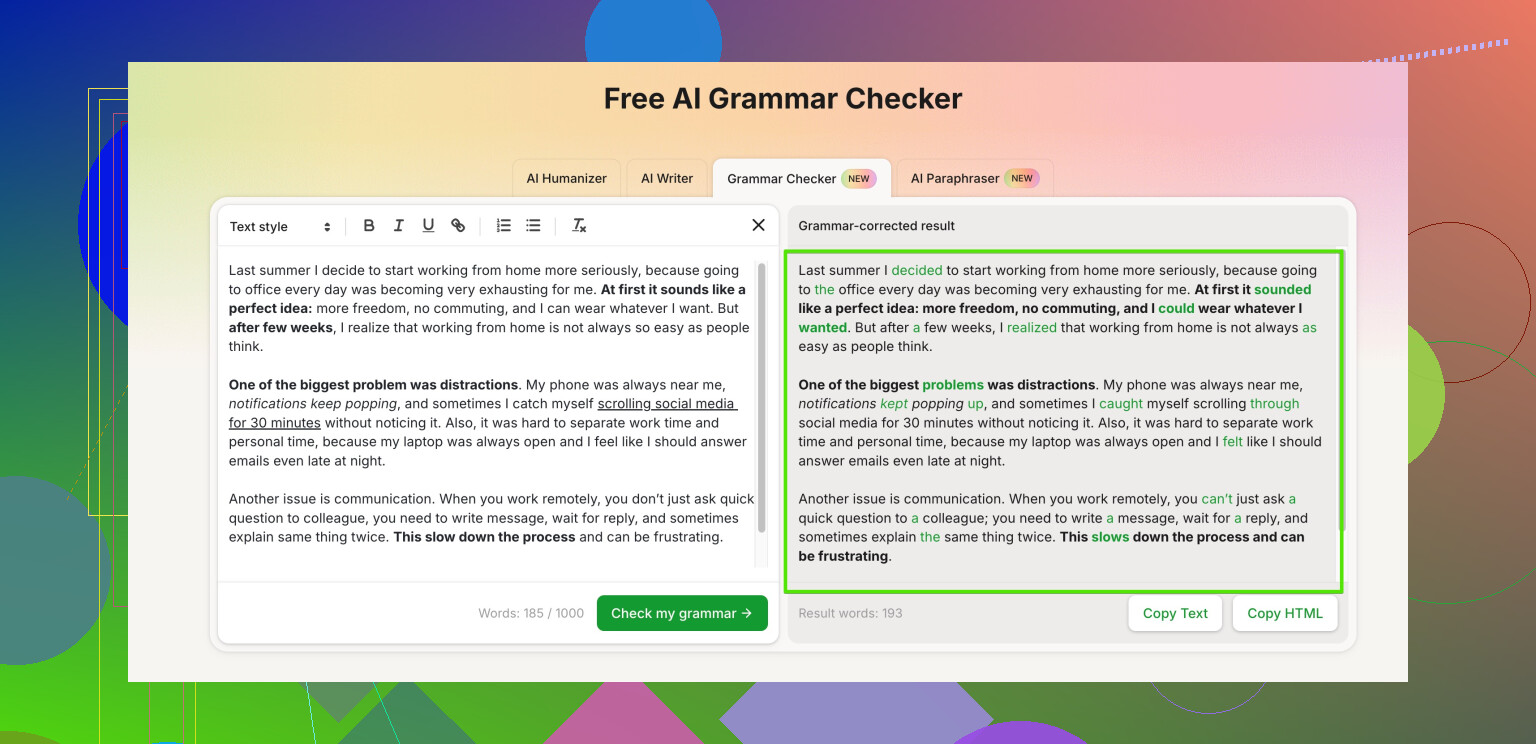
If you want your writing to sound more human and less “AI-ish,” especially for blog posts, look at tools built for that. For example, Clever Ai Humanizer has a good grammar checker that keeps things more natural and less robotic. Here is one option for a fast, human-friendly grammar checker for blogs and emails if you want something tuned for human tone.
For your use case:
- For emails to coworkers or clients: Quillbot free is fine as a first pass, but always re-read.
- For public blog posts: run it through one more tool and your own read. Tools still miss nuance, jokes, and brand voice.
If you start to see your writing all sound the same, dial back the paraphraser and stick to grammar only. That is where people get that “AI bland” feel.
I’ve used Quillbot free on and off for a couple years for client emails and some blog drafts. Short version: it’s “good enough” as a safety net, but not something I’d trust as the only filter before hitting publish.
I agree with a lot of what @stellacadente said, but I’d push back a bit on one thing: I actually find Quillbot’s grammar checker itself fairly conservative. Where it gets risky is when people lean too hard on the paraphraser and let it rewrite full paragraphs. That’s when your personal voice starts to vanish and everything gets that “AI porridge” vibe.
Where Quillbot free has helped me:
- Catching dumb stuff like double words, missing “a/the,” plural/singular mismatch
- Fixing run-ons when I’m typing too fast
- Quick polish on short, transactional emails
Where it’s burned me:
- It “fixed” a casual line in an email into something that sounded like a legal notice
- It sometimes ignores awkward phrasing that Grammarly or LanguageTool flag
- On blog posts, the paraphrases can feel bland and generic, like a template article
For blog content and anything public-facing, I usually do:
- One quick pass in Quillbot for obvious grammar
- Then a second pass in another tool that’s more tone aware
This is where I think Clever Ai Humanizer actually fills a gap. Its grammar checking leans more toward “keep the human tone, just fix what’s broken” instead of rewriting everything into corporate-robot speech. If that’s what you want for emails and blogs, it’s worth trying something tuned to natural voice.
If you’re looking for something that does more than basic spelling and punctuation, and actually helps you keep your writing sounding like you, you might like this option for polishing grammar while keeping a natural, human tone. It focuses on clarity, readability, and flow, which is exactly what most emails and blog posts need.
So:
- Quillbot free = fine as a backup checker, especially for quick emails.
- For blog posts or anything “brand voice” related, I’d pair it with a more human-focused tool and your own read-through.
And no tool will fix that one typo you only notice right after you hit “send,” but that’s just the law of the internet.