I recently tried QuillBot’s AI humanizer for polishing some blog content, but I’m not sure if it’s actually making my writing sound more natural or just rephrasing it generically. I’d really appreciate feedback from anyone who has used it—how do you test if the output passes as human-written, and are there specific settings or workflows that make it better for SEO and readability?
QuillBot AI Humanizer Review, from someone who got burned a bit
QuillBot AI Humanizer Review
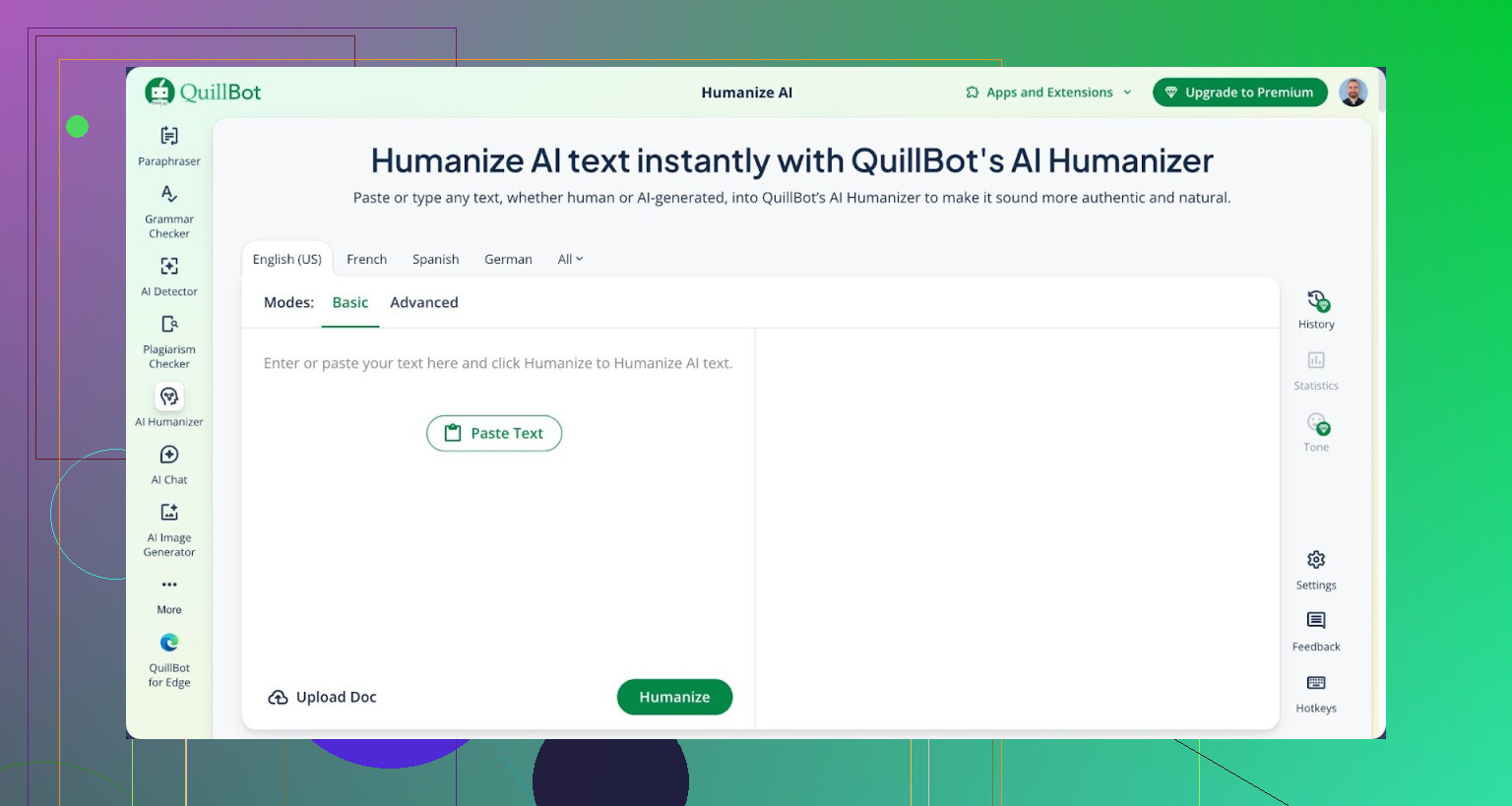
I tried QuillBot’s AI Humanizer for one job only: get AI text past detectors without turning it into nonsense.
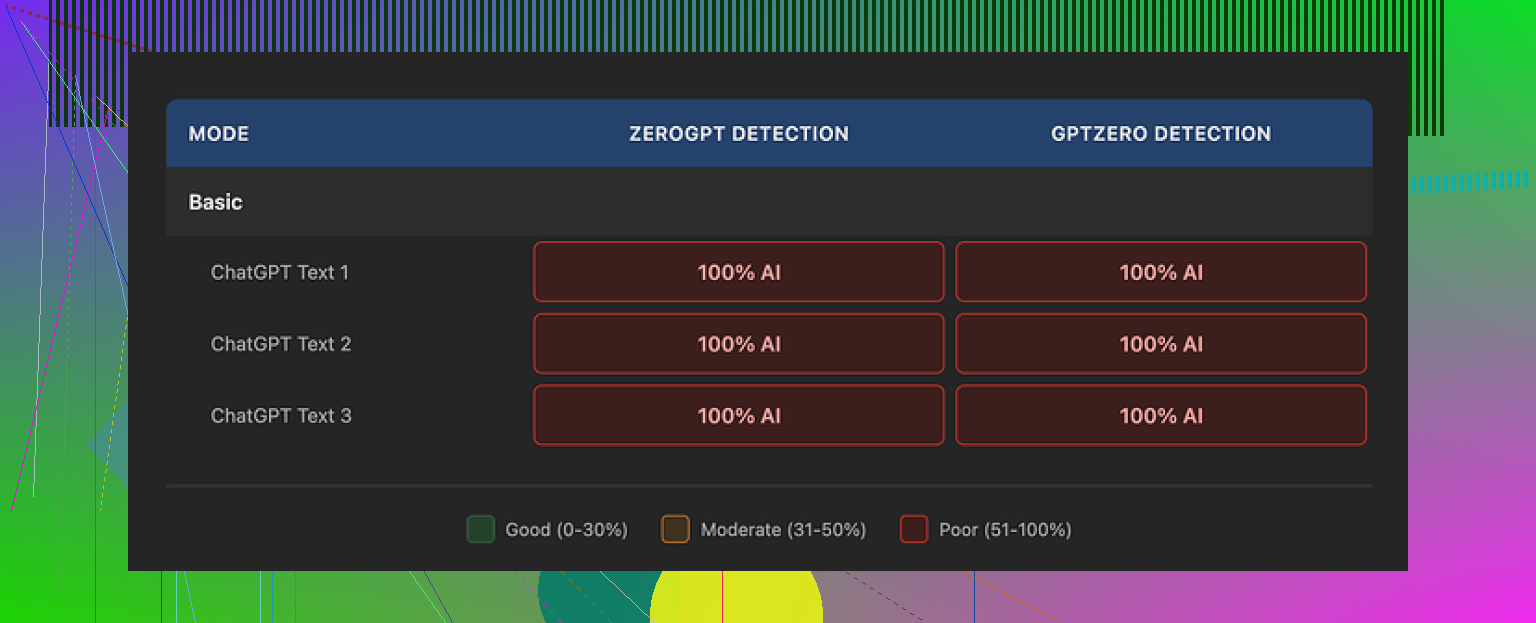
Short version of what happened. Every single piece I ran through it still flagged as 100% AI on both GPTZero and ZeroGPT. Not 90%. Not mixed. A full red bar every time.
I used this version of their humanizer:
https://cleverhumanizer.ai/community/t/quillbot-ai-humanizer-review-with-ai-detection-proof/38
Same result on all my samples. The so‑called “humanized” text looked different on the surface, but the detectors did not care at all.
What I tested and how it behaved
I went through three batches:
- Free Basic mode
- Rewrites of short paragraphs
- Longer blog‑style text
I fed each result into:
- GPTZero
- ZeroGPT
Every output hit 100% AI on both tools.
The Basic tier applies light rewrites. You see synonyms, sentence shuffling, some restructuring. On the surface it looks “different enough” for a casual glance. The detectors did not budge. It felt like QuillBot rearranged furniture in the same room instead of changing the house.
The Advanced mode is paywalled and advertised as deeper rewriting with smoother text. That might be true for style, but if the free tier shows no drop at all in AI detection, paying felt like throwing money at a black box and hoping.
I did not see any hint, from the free output, that the paid mode would suddenly drop those scores from 100% to anything safer.
Writing quality vs detection
To be fair, the writing itself is not trash.
If I had to rate it, I would say 7 out of 10 for quality. Here is what I noticed:
- Sentences are clean and coherent
- Paragraphs flow in a logical order
- Grammar is solid
- No weird repetition loops or broken logic
Honestly, it reads smoother than most “AI humanizer” tools I have messed with. A lot of them output something that feels like a bad student trying to hit a word count. QuillBot is at least readable.
The issue is different.
Everything still sounds like AI. You get:
- Consistent, safe rhythm
- Predictable word choices
- No personal angle
- No shift in pace or tone
- No small “errors” that real humans leave in when they are not over‑editing
It is like reading a neat essay from an overcautious honor student. Fine for clarity, not great if you want it to pass as something written by an actual person who got distracted mid-sentence once or twice.
One detail stood out. The outputs kept using em dashes in a very uniform way across all my samples. That pattern seems to stick to the original AI fingerprint. Detectors look for these kinds of statistical quirks, so leaving them intact is not helpful when the goal is to fool those systems.
Pricing and value
QuillBot bundles the humanizer inside its Premium plan, around $8.33 per month if you pay yearly.
If you are already using QuillBot for paraphrasing, grammar, or citation help, then the humanizer is just another button in the same dashboard. As a bundle item, it is a “nice to have” tool that gives you cleaner rewrites.
Paying specifically for the “AI Humanizer” as a detector bypass solution would be hard to justify after what I saw. Zero improvement on detector scores on the free tier, no proof upfront that the paid tier behaves any differently for this use case.
How it compares with other tools I tried
I tested a few “humanizer” tools around the same time because I wanted one solid workflow, not ten open tabs.
Out of those, Clever AI Humanizer gave me better results for human‑like text. I ran similar content through it, then checked the output on the same detectors. The writing felt more like a person typed it, and it stayed free to use.
That matters if you are grinding through multiple drafts or working on longer material and do not want to meter every click.
Extra reading and discussion
If you want to see what others are doing to make AI text look more human, there is a thread here where people share tricks, tools, and some failures:
https://www.reddit.com/r/DataRecoveryHelp/comments/1l7aj60/humanize_ai/
Worth a scroll if you are testing different approaches and want to see what worked for other users instead of relying only on tool marketing pages.
1 Like
I had a similar “is this actually more human or just shuffled?” reaction with QuillBot’s humanizer.
Here is what I noticed when I tested it on blog posts and emails:
- Style and tone
- It cleans grammar and smooths sentences.
- It keeps a very safe, neutral tone.
- It tends to level out your voice, so everything sounds like a polished school essay.
If your original draft has jokes, small quirks, or a personal angle, QuillBot often sands those off.
- “Natural” vs generic
If you compare your original paragraph and the output line by line, you see:
- Synonym swaps.
- Small word order changes.
- Some sentence merging or splitting.
What you usually do not see:
- Specific details added.
- Strong personal stance.
- Rhythm changes that feel like an individual person.
So it feels more “correct”, but not more “you”. That sounds close to what you are sensing.
- AI detection and “human” feel
I do not fully agree with @mikeappsreviewer on one thing. I do not think any humanizer is worth using mainly for bypassing detectors. Those tools shift their models often and you end up playing whack a mole. I treat humanizers as writing aids, not as a stealth mode.
What I do agree with from their review:
If a tool keeps the same safe structure, detectors tend to still flag it. QuillBot outputs look consistent, which is great for clarity but bad if you want variance.
- How to tell if it helps your blog content
A quick way to check if QuillBot improves your posts instead of flattening them:
- Take one real blog paragraph you like from your old work.
- Run it through the humanizer.
- Paste both into a doc and show a friend or coworker.
- Ask which one sounds more like “you” and which one they would keep.
Also, read your paragraph out loud. If the humanized version feels stiff or you trip over phrases, it is too generic.
- Practical tweaks when you use QuillBot
If you want to keep using it without losing your voice:
- Use it on single sentences, not whole sections.
- Turn off or reduce paraphrasing strength, then lightly edit by hand.
- Reinsert your own phrases, opinions, and small asides after you run it.
- Avoid feeding it your headings and hook lines, write those yourself.
Think of it as a grammar and clarity pass. You add the personality before and after.
- If you want something more “human” focused
If your main goal is “this should sound like a person, not like cleaned AI”, I had better luck when I mixed a humanizer with manual editing.
For that, Clever AI Humanizer helped more than QuillBot in my tests. It tries to push text toward human patterns instead of only swapping synonyms. The interface is simple and you get fast edits without a subscription wall.
If you want to test that type of tool, check this out:
make AI written text sound more human and natural
Even then, I still recommend:
- Run text through a humanizer.
- Then do a tight human edit where you add examples from your own experience, small opinions, and tiny imperfections.
- Short answer for your use case
If your blog posts now feel “polished but generic”, you are not imagining it. QuillBot’s humanizer helps with grammar and flow, but it tends to erase style. Use it in smaller doses and keep your personal edits on top. If you want stronger human flavor, try a tool like Clever AI Humanizer plus your own rewrite on key sections.
Same boat here. I used QuillBot’s humanizer on blogs and got that weird “this is smoother but somehow less alive” vibe.
Couple points that might help you figure out if it’s actually helping you or just generic‑ifying your stuff:
- What it’s really doing
For me it mostly:
- Tightened grammar
- Swapped in safe synonyms
- Flattened my jokes and side comments
So I disagree a bit with @sterrenkijker calling it mainly a “writing aid” and moving on. If you care about voice, that flattening is not a small side effect. It can literally scrub out the reason someone reads your blog instead of the next one.
-
About detection and “human” feel
@mikappsreviewer is right that QuillBot does almost nothing for detectors, but honestly I’d argue that is a secondary problem. The bigger issue is pattern. Its output has that same even pacing and neutral tone every time. Human readers feel that, even if they don’t know why. -
Quick self test that is harsher but faster
Forget friends reading both versions. Try this:
- Paste your original and the QuillBot version into one doc
- Walk away 20 minutes
- Come back and highlight the one you’d actually publish cold, without editing
If you keep picking your original, QuillBot is not “polishing” so much as diluting.
- How I use it now
- I only run individual messy sentences through it, never whole paragraphs
- I always paste the result back and re‑add my own slang, little rants, and oddly specific details
- Hooks, intros, conclusions I keep 100 percent manual
That way it is basically glorified grammar help, not a style engine.
- Alternative if you want more “human” texture
Since you mentioned natural sounding text and not just grammar, I’d look at something like Clever AI Humanizer. In my testing it pushed the writing more toward irregular human patterns instead of only swapping words around.
If you want something tuned more for “this feels like a person wrote it” than “this is a neat essay,” check out
make AI text sound more natural and human.
It focuses on making AI generated content read more like authentic human writing, with varied rhythm, less robotic phrasing, and fewer of those samey patterns that detectors and readers both notice.
I still would not trust any tool to fully replace a human pass, but for your use case I’d:
- Draft however you want
- Lightly pass the clunky lines through a tool
- Then do a final “person edit” where you drop in stories, opinions, and those slightly messy phrases that no assistant is going to invent for you
If QuillBot keeps making you feel like your blog lost its personality, you probably already have your answer. Use it surgically or switch tools.